
01
iOS апликација · iPhone · iPad · macOS
Lighter photos, private by default.
ImageTiny
ImageTiny is an on-device image workflow app for iPhone, iPad, and Mac, focused on compression, format conversion, metadata cleanup, and local-first privacy.
Приватност на првом месту
Налог није потребан
Ради офлајн

ImageTiny
- status
- status live
- App Store
- iPhone / iPad / macOS
- tech stack
- Image Workflow · On-device Privacy
Укратко
Fig. 01A photograph carries more than pixels — places, times, the quiet metadata of a life. ImageTiny keeps only what you meant to share.
У апликацији
Fig. 02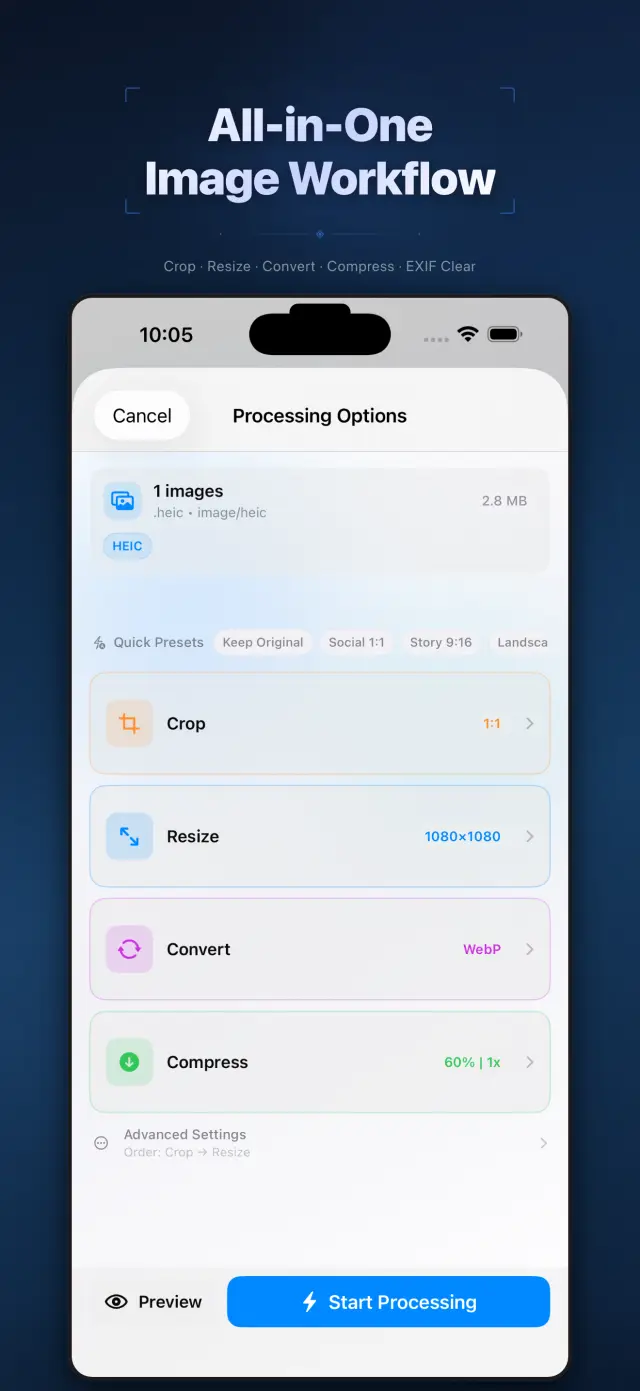
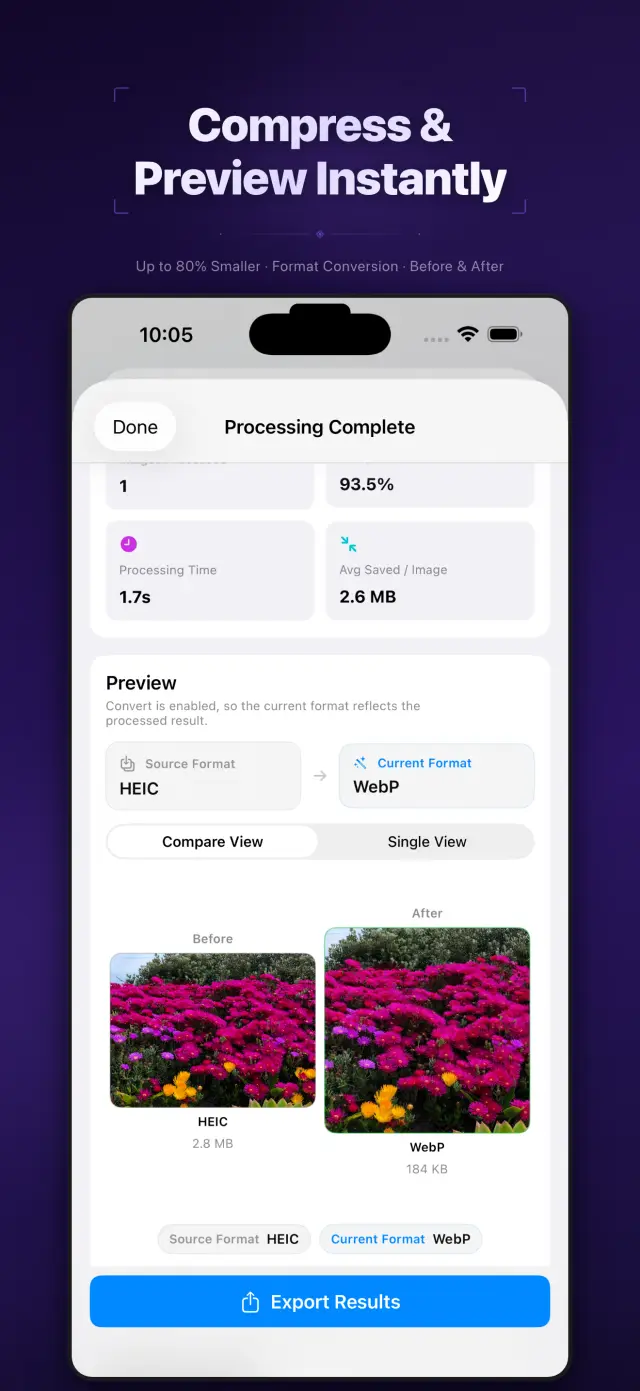
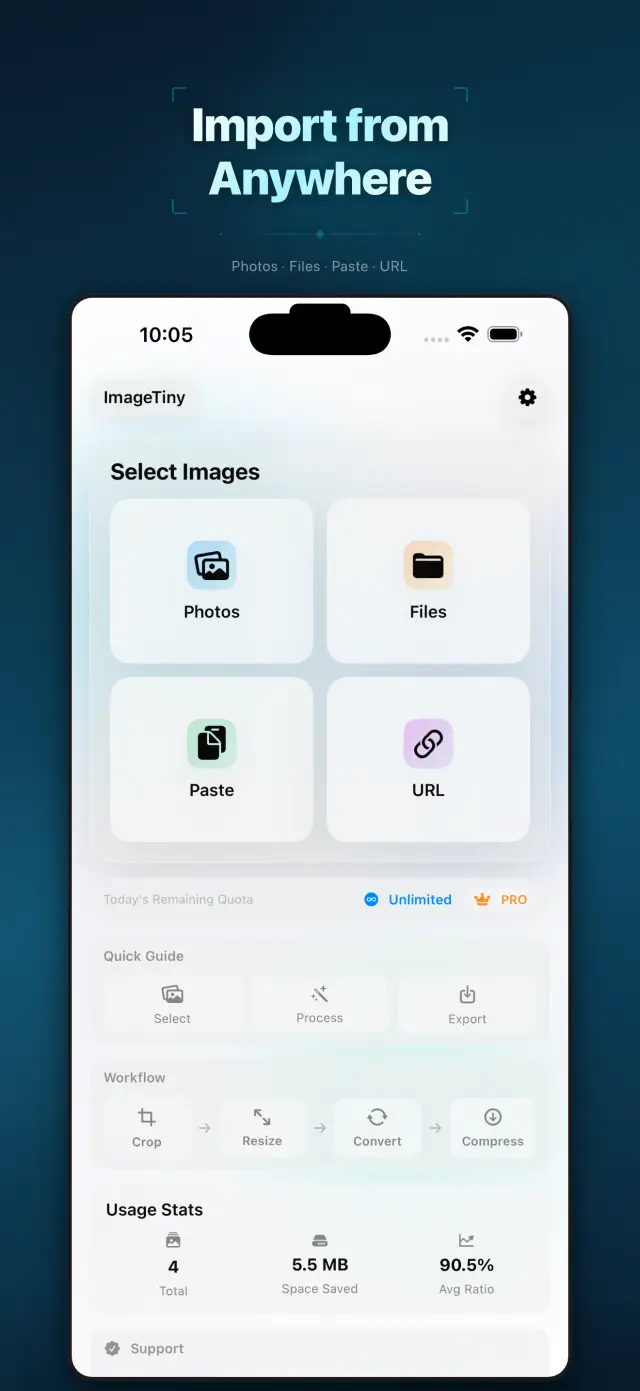
Могућности
No. 01Set your photos right before they go out.
02
Format conversion and metadata cleanup
03
Privacy-first export workflow
Specifications
Tab. 01At a glance
- Platforms
- iPhone · iPad · Mac
- Processing
- Batch compress & convert, 100% on device
- Metadata
- EXIF & GPS stripped before sharing
- Privacy
- Photos never uploaded, no tracking
Радни ток
No. 02Pick, process, export — in one pass.
-
01
Select photos
Choose the batch you plan to share from your library, or drop them into the Mac app. You define the scope.
-
02
Process on device
Compression, format conversion and metadata cleanup all happen on device — photos never leave it mid-process.
-
03
Export with peace of mind
Get lighter, cleaner images to share or save. Every export is private by default.
Поверење и приватност
No. 03Photos are among the most personal files you have.
Приватност на првом месту
Local-first: no account, no ads, no tracking — data never leaves the device.
Налог није потребан
No sign-up, no login. Install it and it just works.
Ради офлајн
Everything core runs offline; no network required.
What hides in metadata? EXIF often carries capture time, device model, even precise GPS coordinates. ImageTiny makes “clean before export” the default path — share the picture, not your whereabouts.
О апликацији ImageTiny
No. 4The longer story — what it is, who it is for, and the choices behind it.
Последње ажурирање: 23. априла 2026.
ImageTiny је апликација за радни ток слика која ради на уређају, намењена за iPhone, iPad и Mac.
Помаже вам да смањите величину датотека слика, претворите формате, уклоните осетљиве метаподатке и припремите садржај за дељење без слања ваших фотографија на наше сервере.
Основне функције
- Увоз слика из апликација Фотографије и Датотеке, из међуспремника или са HTTPS URL адресе слике коју унесе корисник
- Компресовање, промена величине, исецање и претварање слика у једном локалном радном току
- Уклањање EXIF и GPS метаподатака пре извоза
- Извоз резултата у Фотографије, Датотеке или путем системског листа за дељење
- Обрада и резимеи локалне употребе остају на уређају
Приватност на првом месту по дизајну
ImageTiny је изграђен око локалне обраде. Ваше одабране слике остају на вашем уређају, осим ако изричито не одлучите да их извезете или поделите.
Наплата
ImageTiny нуди бесплатан ниво са нижим ограничењима и опционалне Pro надоградње путем услуге Apple StoreKit. Претплатама и куповинама управља се путем вашег Apple налога.
Развио ZelonAI
За правне информације, информације о приватности и подршци користите странице повезане испод овог документа.
docs support
No. 5Plain-language documents. No fine print you would be surprised by.
faq title
Never. ImageTiny performs compression, conversion, and metadata cleanup entirely on your device. There is no upload step because there is no server — airplane mode is a fine working environment.
Photos carry EXIF metadata: GPS coordinates, device model, timestamps. Before sharing a photo, ImageTiny strips what you did not mean to send — the image keeps its pixels, you keep your privacy.
ImageTiny runs natively on iPhone, iPad, and Mac. The workflow is the same everywhere, so a batch prepared on your phone finishes on your Mac.
Yes — conversion between common formats is built into the same workflow. Shoot in HEIC, deliver in JPG or WebP, and trim the file size in the same pass.
A compression website sees every photo you feed it. On-device processing removes that trust question entirely — for family albums, ID scans, and work screenshots, that is not a feature, it is the point.
Every photo you send out, lighter and cleaner.
ImageTiny
iPhone, iPad and Mac. Download on the App Store.