
01
Aplikacja iOS · iPhone · iPad · macOS
Lighter photos, private by default.
ImageTiny
ImageTiny is an on-device image workflow app for iPhone, iPad, and Mac, focused on compression, format conversion, metadata cleanup, and local-first privacy.
Najpierw prywatność
Konto nie jest wymagane
Działa offline

ImageTiny
- status
- status live
- App Store
- iPhone / iPad / macOS
- tech stack
- Image Workflow · On-device Privacy
W skrócie
Fig. 01A photograph carries more than pixels — places, times, the quiet metadata of a life. ImageTiny keeps only what you meant to share.
W aplikacji
Fig. 02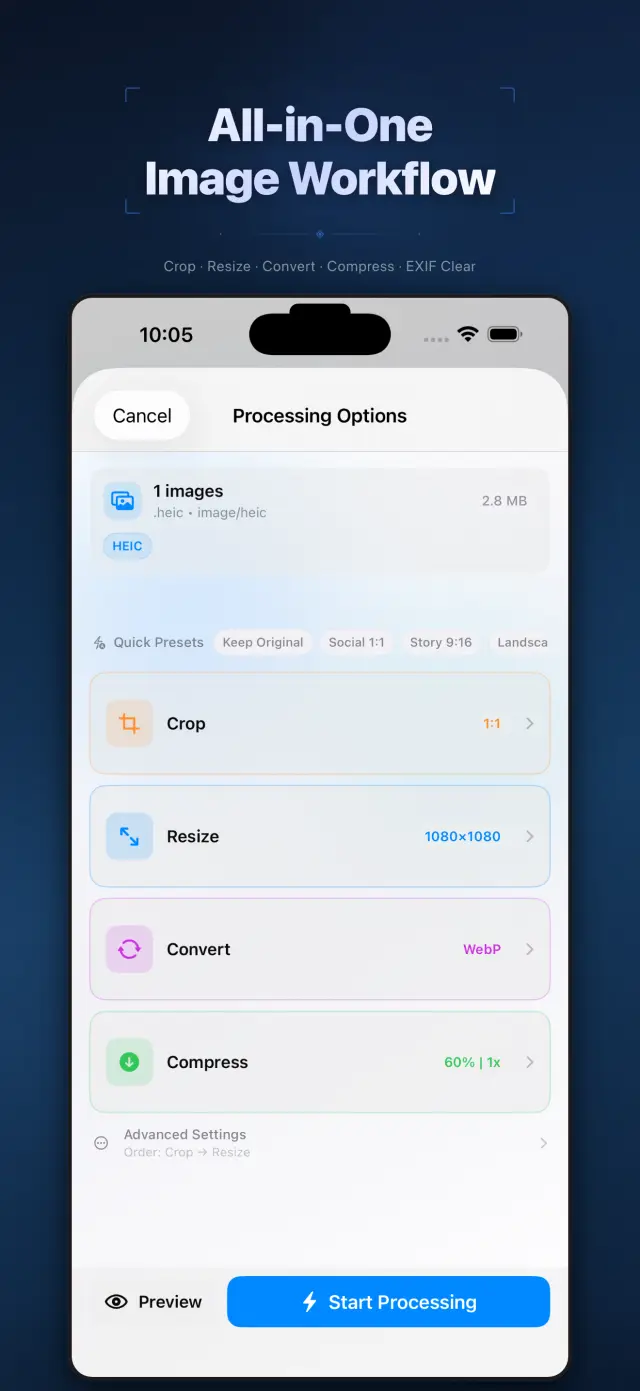
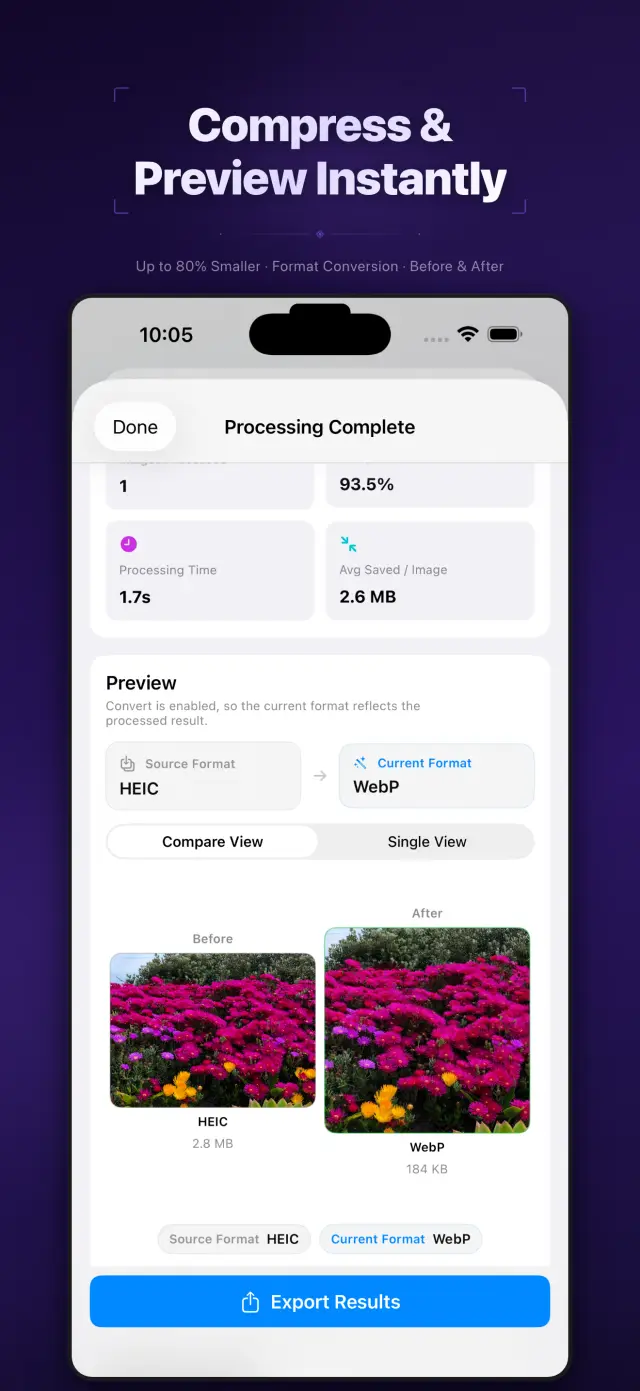
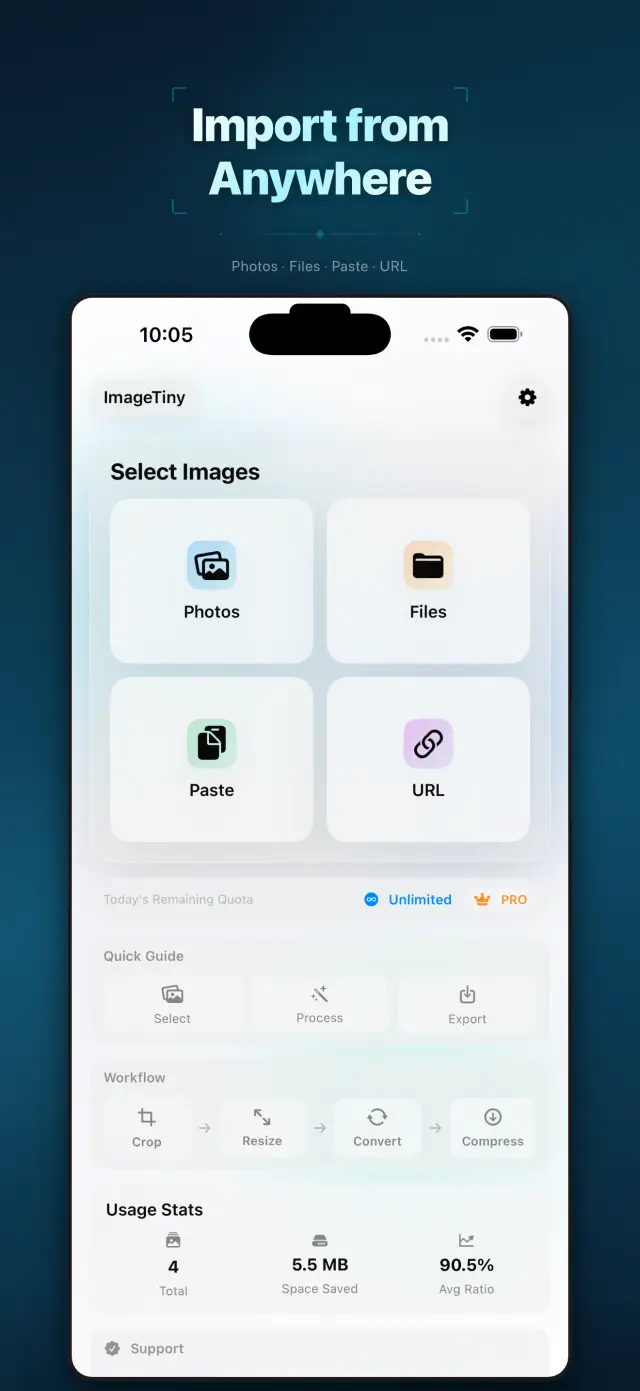
Funkcje
No. 01Set your photos right before they go out.
02
Format conversion and metadata cleanup
03
Privacy-first export workflow
Specifications
Tab. 01At a glance
- Platforms
- iPhone · iPad · Mac
- Processing
- Batch compress & convert, 100% on device
- Metadata
- EXIF & GPS stripped before sharing
- Privacy
- Photos never uploaded, no tracking
Przepływ pracy
No. 02Pick, process, export — in one pass.
-
01
Select photos
Choose the batch you plan to share from your library, or drop them into the Mac app. You define the scope.
-
02
Process on device
Compression, format conversion and metadata cleanup all happen on device — photos never leave it mid-process.
-
03
Export with peace of mind
Get lighter, cleaner images to share or save. Every export is private by default.
Zaufanie i prywatność
No. 03Photos are among the most personal files you have.
Najpierw prywatność
Local-first: no account, no ads, no tracking — data never leaves the device.
Konto nie jest wymagane
No sign-up, no login. Install it and it just works.
Działa offline
Everything core runs offline; no network required.
What hides in metadata? EXIF often carries capture time, device model, even precise GPS coordinates. ImageTiny makes “clean before export” the default path — share the picture, not your whereabouts.
O nas ImageTiny
No. 4The longer story — what it is, who it is for, and the choices behind it.
Ostatnia aktualizacja: April 23, 2026
ImageTiny to aplikacja do przepływu pracy na obrazach działająca na urządzeniu, przeznaczona na iPhone’a, iPada i Maca.
Pomaga zmniejszać rozmiary plików obrazów, konwertować formaty, usuwać wrażliwe metadane i przygotowywać materiały do udostępniania bez przesyłania Twoich zdjęć na nasze serwery.
Najważniejsze funkcje
- Import obrazów z aplikacji Zdjęcia, Pliki, ze schowka lub z podanej przez użytkownika adresu URL obrazu HTTPS
- Kompresja, zmiana rozmiaru, przycinanie i konwersja obrazów w jednym lokalnym przepływie pracy
- Usuwanie metadanych EXIF i GPS przed eksportem
- Eksport wyników do Zdjęć, Plików lub przez systemowy arkusz udostępniania
- Przetwarzanie i podsumowania lokalnego użycia pozostają na urządzeniu
Zaprojektowane z myślą o prywatności
ImageTiny jest zbudowane wokół lokalnego przetwarzania. Wybrane przez Ciebie obrazy pozostają na Twoim urządzeniu, chyba że zdecydujesz się jawnie je wyeksportować lub udostępnić.
Rozliczenia
ImageTiny oferuje darmowy poziom z niższymi limitami oraz opcjonalne ulepszenia Pro przez Apple StoreKit. Zarządzanie subskrypcjami i zakupami odbywa się przez Twoje konto Apple.
Opracowane przez ZelonAI
Informacje prawne, dotyczące prywatności i wsparcia znajdziesz na stronach podlinkowanych poniżej tego dokumentu.
docs support
No. 5Plain-language documents. No fine print you would be surprised by.
faq title
Never. ImageTiny performs compression, conversion, and metadata cleanup entirely on your device. There is no upload step because there is no server — airplane mode is a fine working environment.
Photos carry EXIF metadata: GPS coordinates, device model, timestamps. Before sharing a photo, ImageTiny strips what you did not mean to send — the image keeps its pixels, you keep your privacy.
ImageTiny runs natively on iPhone, iPad, and Mac. The workflow is the same everywhere, so a batch prepared on your phone finishes on your Mac.
Yes — conversion between common formats is built into the same workflow. Shoot in HEIC, deliver in JPG or WebP, and trim the file size in the same pass.
A compression website sees every photo you feed it. On-device processing removes that trust question entirely — for family albums, ID scans, and work screenshots, that is not a feature, it is the point.
Every photo you send out, lighter and cleaner.
ImageTiny
iPhone, iPad and Mac. Download on the App Store.