
01
iOS aplikacija · iPhone · iPad · macOS
Lighter photos, private by default.
ImageTiny
ImageTiny is an on-device image workflow app for iPhone, iPad, and Mac, focused on compression, format conversion, metadata cleanup, and local-first privacy.
Privatnost na prvom mjestu
Račun nije potreban
Radi izvan mreže

ImageTiny
- status
- status live
- App Store
- iPhone / iPad / macOS
- tech stack
- Image Workflow · On-device Privacy
Ukratko
Fig. 01A photograph carries more than pixels — places, times, the quiet metadata of a life. ImageTiny keeps only what you meant to share.
U aplikaciji
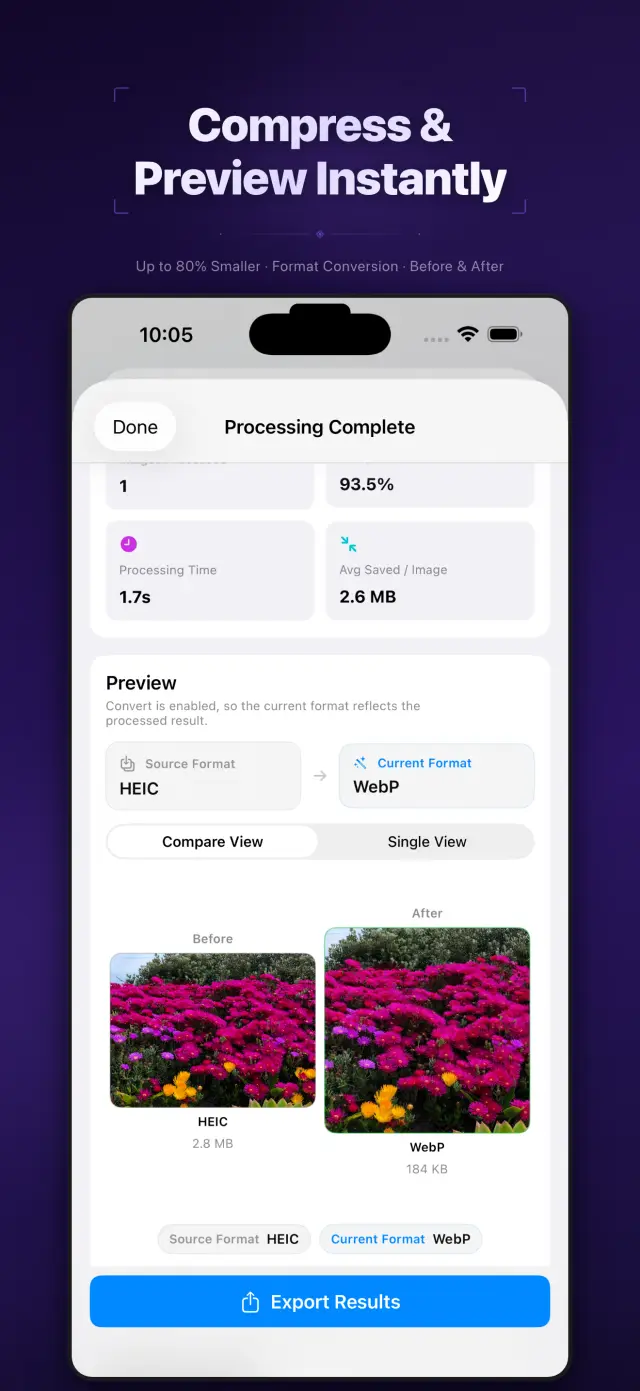
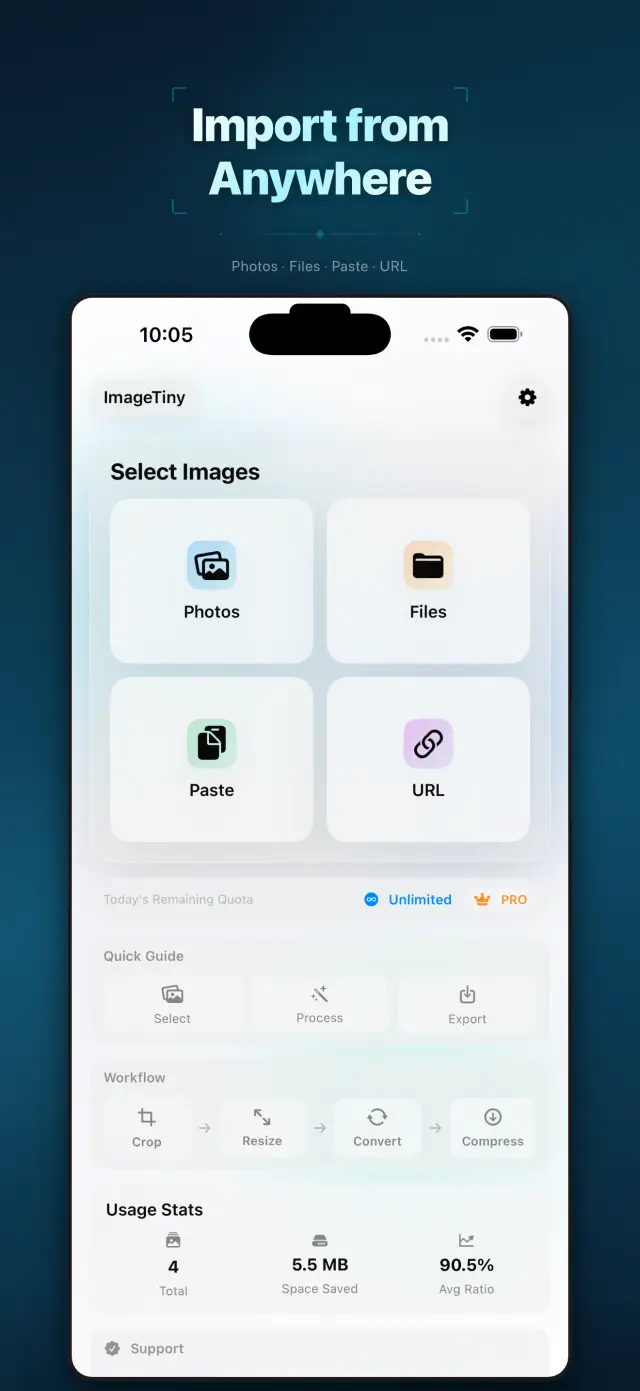
Fig. 02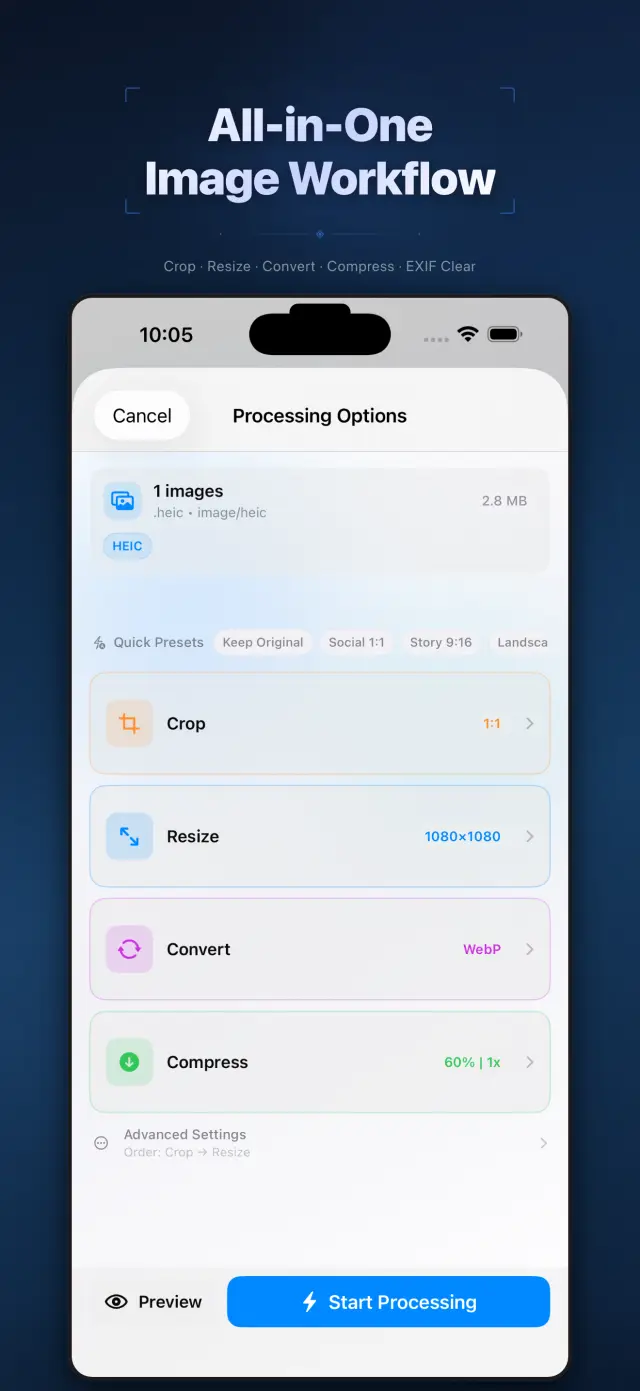
Značajke
No. 01Set your photos right before they go out.
02
Format conversion and metadata cleanup
03
Privacy-first export workflow
Specifications
Tab. 01At a glance
- Platforms
- iPhone · iPad · Mac
- Processing
- Batch compress & convert, 100% on device
- Metadata
- EXIF & GPS stripped before sharing
- Privacy
- Photos never uploaded, no tracking
Radni tijek
No. 02Pick, process, export — in one pass.
-
01
Select photos
Choose the batch you plan to share from your library, or drop them into the Mac app. You define the scope.
-
02
Process on device
Compression, format conversion and metadata cleanup all happen on device — photos never leave it mid-process.
-
03
Export with peace of mind
Get lighter, cleaner images to share or save. Every export is private by default.
Povjerenje i privatnost
No. 03Photos are among the most personal files you have.
Privatnost na prvom mjestu
Local-first: no account, no ads, no tracking — data never leaves the device.
Račun nije potreban
No sign-up, no login. Install it and it just works.
Radi izvan mreže
Everything core runs offline; no network required.
What hides in metadata? EXIF often carries capture time, device model, even precise GPS coordinates. ImageTiny makes “clean before export” the default path — share the picture, not your whereabouts.
O aplikaciji ImageTiny
No. 4The longer story — what it is, who it is for, and the choices behind it.
Zadnje ažuriranje: April 23, 2026
ImageTiny je aplikacija za radni tijek slika koja radi na uređaju, namijenjena za iPhone, iPad i Mac.
Pomaže vam smanjiti veličinu slikovnih datoteka, pretvoriti formate, ukloniti osjetljive metapodatke i pripremiti sadržaj za dijeljenje bez prijenosa vaših fotografija na naše poslužitelje.
Glavne značajke
- Uvoz slika iz aplikacija Fotografije i Datoteke, iz međuspremnika ili s HTTPS URL adrese slike koju unese korisnik
- Komprimiranje, promjena veličine, obrezivanje i pretvorba slika u jednom lokalnom radnom tijeku
- Uklanjanje EXIF i GPS metapodataka prije izvoza
- Izvoz rezultata u Fotografije, Datoteke ili putem sustavskog lista za dijeljenje
- Obrada i sažeci lokalne upotrebe ostaju na uređaju
Privatnost na prvom mjestu po dizajnu
ImageTiny je izgrađen oko lokalne obrade. Vaše odabrane slike ostaju na vašem uređaju, osim ako ih izričito ne odlučite izvesti ili podijeliti.
Naplata
ImageTiny nudi besplatnu razinu s nižim ograničenjima i neobavezne Pro nadogradnje putem usluge Apple StoreKit. Pretplatama i kupnjama upravlja se putem vašeg Apple računa.
Razvio ZelonAI
Za pravne informacije, informacije o privatnosti i podršci koristite stranice povezane u nastavku ovog dokumenta.
docs support
No. 5Plain-language documents. No fine print you would be surprised by.
faq title
Never. ImageTiny performs compression, conversion, and metadata cleanup entirely on your device. There is no upload step because there is no server — airplane mode is a fine working environment.
Photos carry EXIF metadata: GPS coordinates, device model, timestamps. Before sharing a photo, ImageTiny strips what you did not mean to send — the image keeps its pixels, you keep your privacy.
ImageTiny runs natively on iPhone, iPad, and Mac. The workflow is the same everywhere, so a batch prepared on your phone finishes on your Mac.
Yes — conversion between common formats is built into the same workflow. Shoot in HEIC, deliver in JPG or WebP, and trim the file size in the same pass.
A compression website sees every photo you feed it. On-device processing removes that trust question entirely — for family albums, ID scans, and work screenshots, that is not a feature, it is the point.
Every photo you send out, lighter and cleaner.
ImageTiny
iPhone, iPad and Mac. Download on the App Store.