
App · iOS · iPadOS
PresentCast
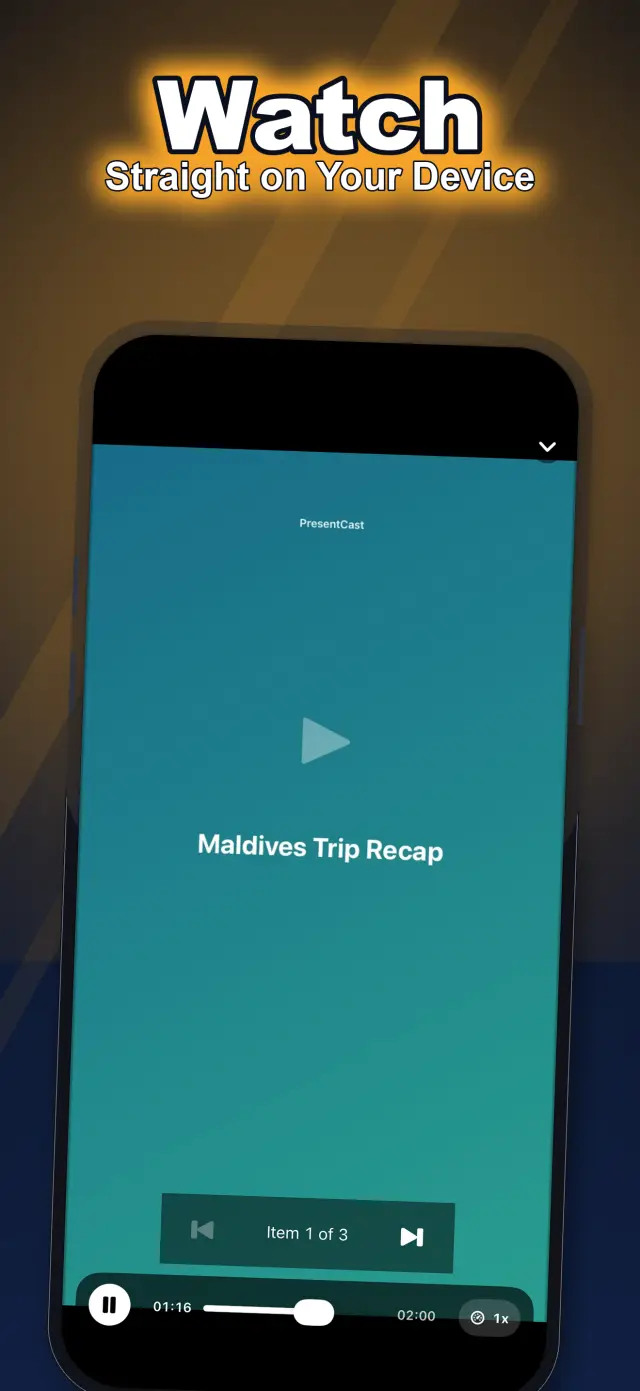
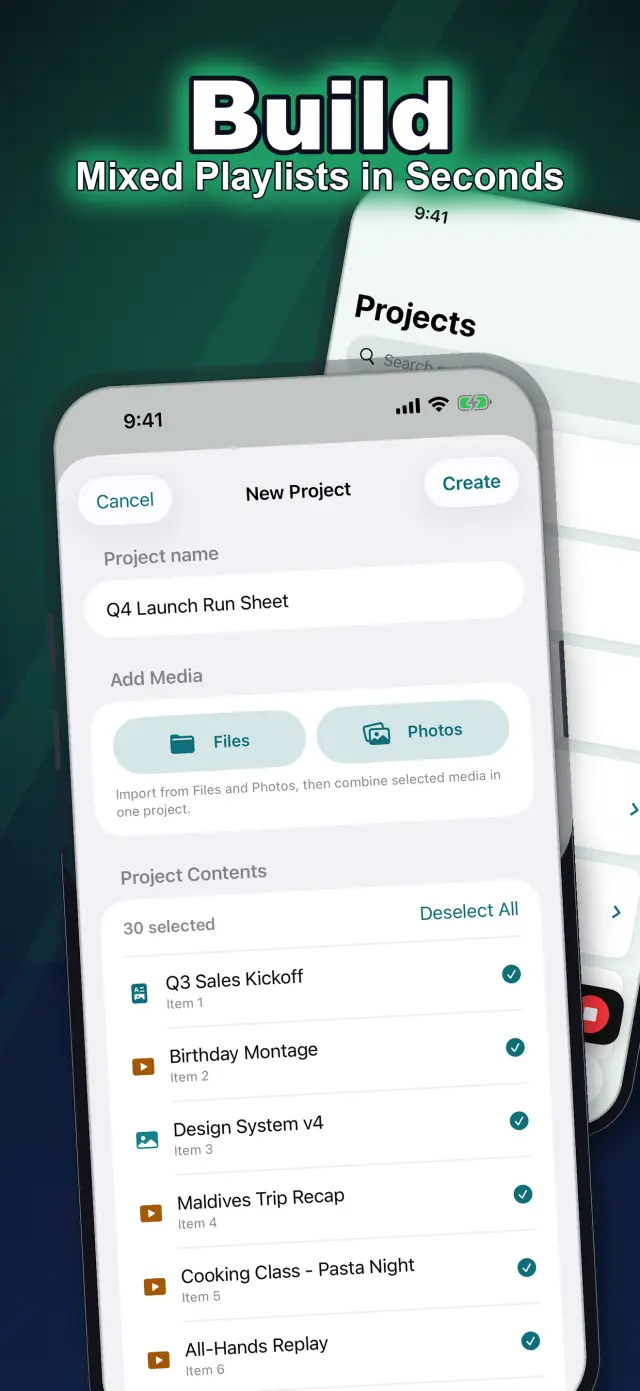
PresentCast builds ordered playlists of PDFs, photos and videos for AirPlay or compatible DLNA/UPnP receivers. Presenter View shows current and next content on the phone. Demo Display lets you rehearse without an external screen.
PresentCast
- Status
- Live
- App Store
- iOS / iPadOS
- Tech Stack
- —
In the app
Fig. 02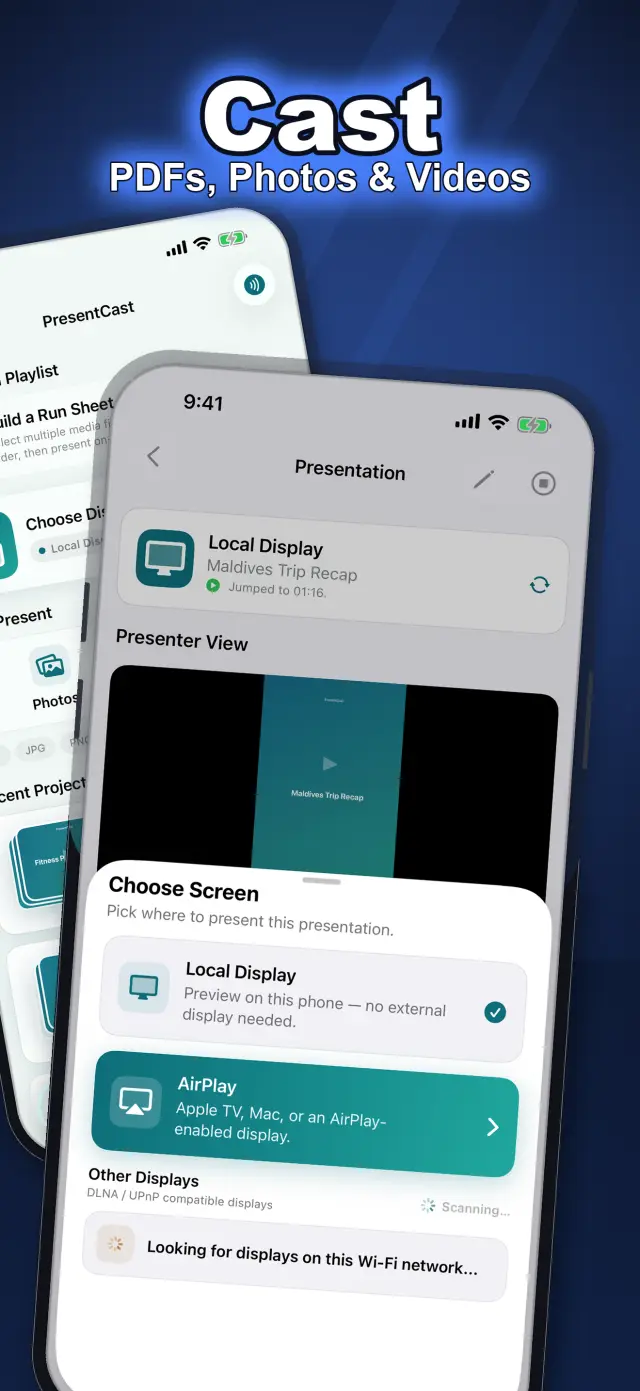
Product guide
When to use it
Prepare a mixed-media lesson or meeting once and present the selected content without mirroring the whole phone.
A practical workflow
- Import local media into a Project and drag items into presentation order.
- Rehearse with Sample Project and Demo Display, or select a compatible receiver.
- Follow the current and next item in Presenter View and control the session from the phone.
Limits to check
Chromecast and Miracast are not supported. Receiver formats, timing and controls vary. Free output reaches 1080p; Pro adds higher-resolution and other controls where supported.
Storage and connections
Projects and settings stay on-device. During DLNA casting, selected media is temporarily available over the local network to the chosen receiver; this is not an offline-only workflow.
Sources and product facts
Open the product source · US- App Store name
- PresentCast: Playlist Casting
- Listed developer
- 雷 陈
- Listed version
- 1.1
- Minimum iOS
- iOS 15.0+
- Source checked
- 2026-10-11
- App languages
- English, Chinese
Check the App Store for current purchases, subscriptions and regional availability.
Based on the linked product information, not a hands-on review or an independent privacy audit. Store terms and compatibility can change.
Docs & Support
No. 6Plain-language documents. No fine print you would be surprised by.
iOS and Mac applications built by ZelonAI for productivity, privacy, and hands-on AI learning.