PromptKit saves AI prompts as reusable templates with fillable variables, tags, search, Quick Paste and an iOS keyboard extension. Your library is stored locally, with optional sync through your own iCloud account.
When to use it
Reuse a writing brief or support reply whose topic, tone and language change each time.
ImageTiny compresses, resizes, crops and converts photos on-device, and can remove EXIF and GPS metadata before sharing. Its free tier allows 2 images per batch and 50 per day; Pro raises the batch limit to 200.
When to use it
Prepare smaller photos for an email or convert a HEIC image for someone who cannot open it.
FractionSolver calculates fractions and mixed numbers with step-by-step working. It includes arithmetic, simplification, comparison, decimal and percentage conversion. Camera scanning, history and worked-solution image export are Premium features.
When to use it
Check how a common denominator or fraction reduction leads to an answer, rather than copying the final number.
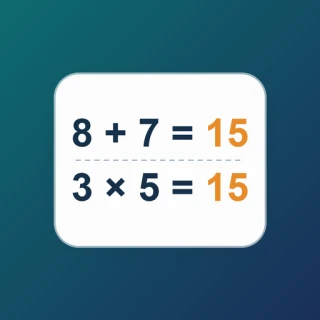
MathBoard creates arithmetic practice sets and handwriting whiteboards, with automatic marking and a wrong-answer book. Core problem types are free; Pro adds PDF export, fuller explanations, drills, reports and batch generation.
When to use it
Practice addition, subtraction or multiplication on iPad, then revisit the questions that need another attempt.
PresentCam is an iPhone and iPad video maker built around the material you explain. Keep a PDF or ordered images on screen as the main canvas, annotate them live, and record your voice and a movable presenter window. Export the pages, markings, and presenter together as one MP4. Free export reaches 1080p at 30 fps without a watermark; Pro adds higher-resolution and HDR options.
When to use it
Walk viewers through a worksheet, diagram, or proposal when the source page and your live markings need to stay in view.
PresentCast builds ordered playlists of PDFs, photos and videos for AirPlay or compatible DLNA/UPnP receivers. Presenter View shows current and next content on the phone. Demo Display lets you rehearse without an external screen.
When to use it
Prepare a mixed-media lesson or meeting once and present the selected content without mirroring the whole phone.
MegaText turns an iPhone or iPad into a large-text sign, scrolling LED banner or dot-matrix display. It saves reusable word sets and can recognize words from photos on-device. The current US App Store listing is a paid download.
When to use it
Show a pickup name, a message in a noisy room or a high-contrast word card without needing someone to hear you.
MoodTide records five-level mood check-ins and short notes, with a calendar, insights and home-screen widgets. Records are local by default and can optionally sync through iCloud. Core journaling is free; Pro adds themes, enhanced widgets and export.
When to use it
Build a brief daily reflection habit and review the patterns you recorded across a week or month.
PopJoy is an offline bubble game with tap, shooter and two rain modes, themed sounds and haptics. Optional Pro plans add premium themes, materials and unlimited Endless mode; the listing names monthly and yearly plans.
When to use it
Take a short play break with tactile feedback and choose the mode or soundscape you enjoy.
MicroAgent is a 12-lesson visual course on agent loops, tools, planning, memory and multi-agent coordination. Replayable demonstrations and Swift/Python examples explain the runtime. Lessons s01–s03 are free; full course access is a one-time unlock.
When to use it
Understand how an agent chooses tools and maintains task state before building a real agent service.
SpeedPlayer helps you practice with your own audio or video using variable speed, A–B loops and per-file playback memory. Precision review uses 0.01x–0.24x; continuous playback uses 0.25x–4.00x. Optional Pro adds history, favorites and visual options.
When to use it
Repeat a short instrument phrase, a language passage or a movement sequence without repeatedly finding the same position.
FeelTemp plays built-in layered wind sounds with intensity controls, a sleep timer and background playback. Wind mode is free; a one-time lifetime unlock adds Rain, Snow, Storm and premium options. It does not physically cool a room.
When to use it
Use a continuous wind sound as background audio while studying, resting or preparing for sleep.
HanziStroke teaches Chinese characters with stroke-order animations, pinyin, radicals, vocabulary and custom practice sets. Basic reference and one practice set are free; Premium unlocks tracing, demo-then-practice and more collections.
When to use it
Watch the order of a character's strokes before practicing it, then use feedback to correct the next attempt.