Apple Platform App · iPhone · iPad

PDFs and images, explained on camera.

PresentCam

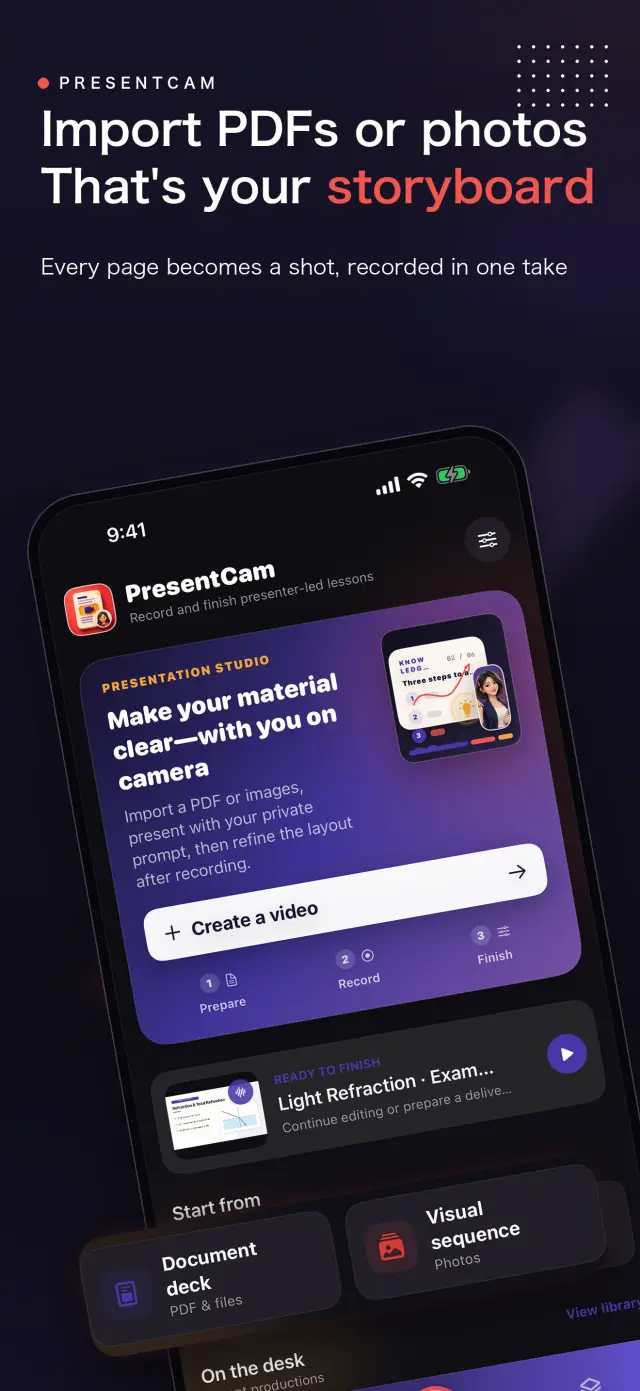
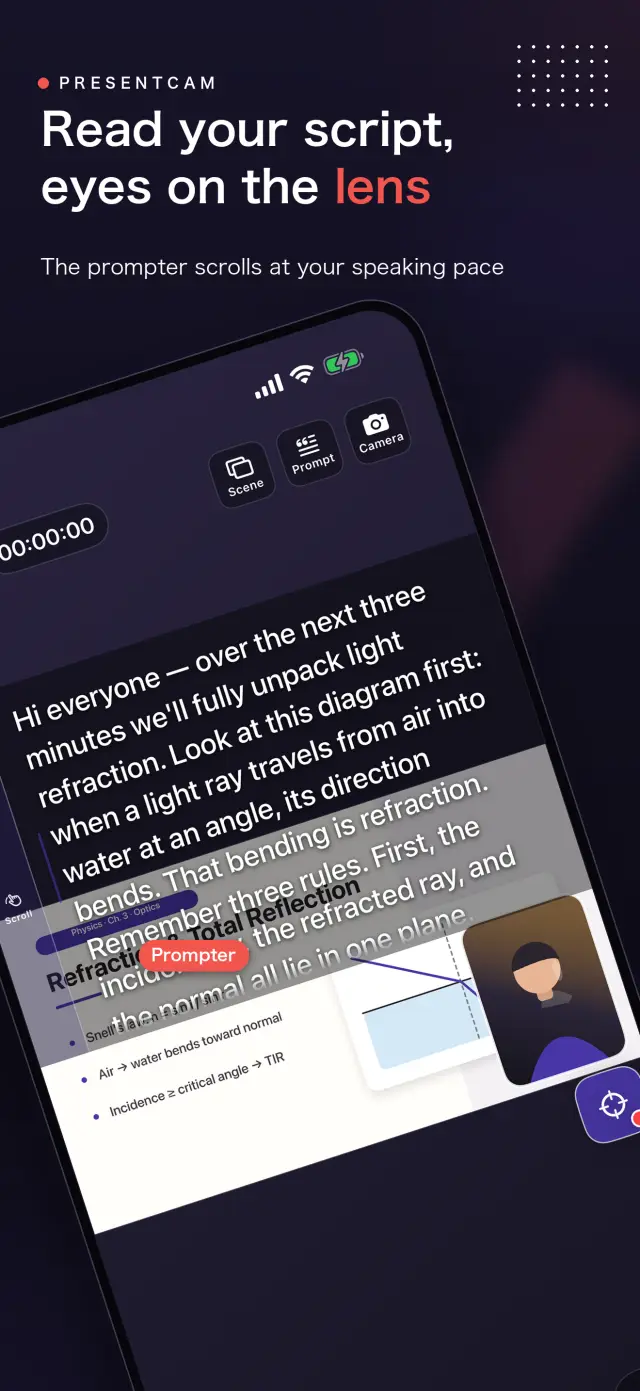
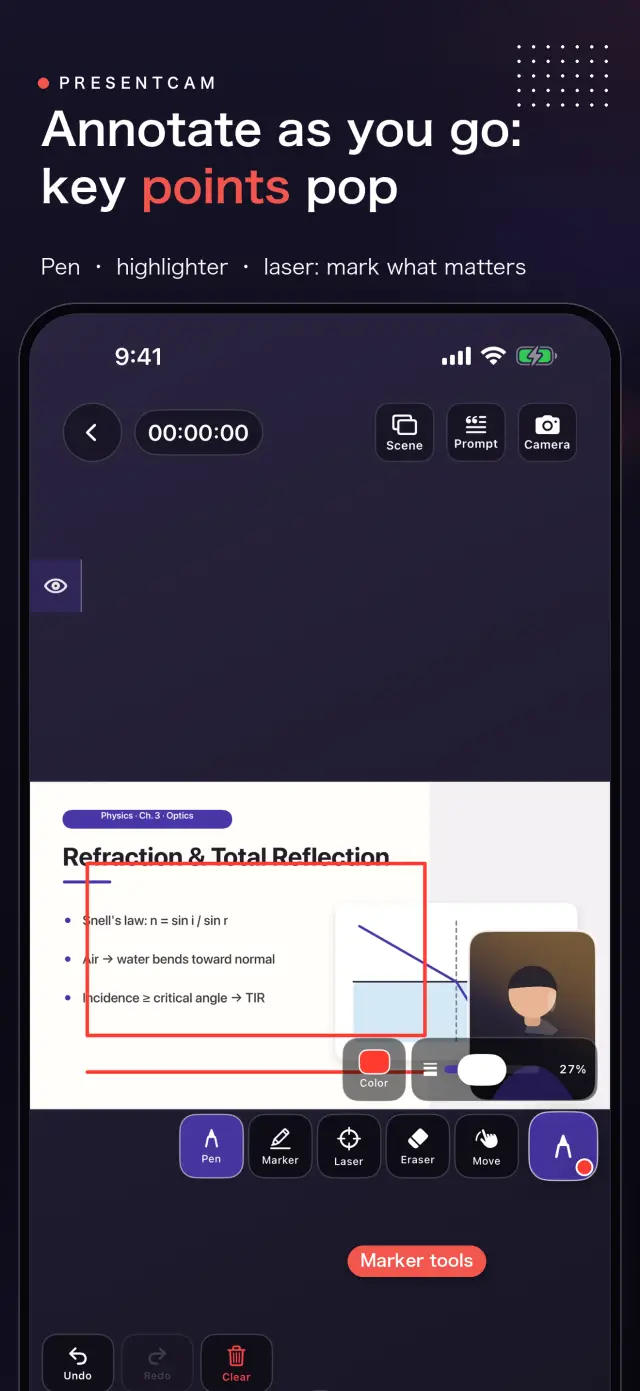
PresentCam is a document-first explainer video maker for iPhone and iPad. Import a PDF or ordered images, annotate the material live with a pen, highlighter, or laser pointer, explain on camera with microphone audio and a built-in teleprompter, then export the pages, annotations, presenter video, and audio as one MP4. Free includes watermark-free export up to 1080p/30 fps; Pro adds 2K/4K, 50/60 fps, HDR, and higher-bitrate options. Local-first: no account, no ads, no analytics, and no tracking.

privacy first 가이드 no account needed 가이드 works offline 가이드
PresentCam mark

PresentCam

status
status coming soon
App Store
iPhone / iPad
tech stack
Live Annotation · Presenter Video · On-device Privacy

at glance 가이드

Fig. 01

Import the material, mark the point, explain it face to face, and leave with a finished video.

features 가이드

No. 01

material stays visible while you explain it 가이드

01

Import PDFs or ordered images

02

Annotate live with pen, highlighter, and laser

03

Explain on camera with microphone audio

workflow 가이드

No. 02

import annotate explain export 가이드

  1. 01

    import material 가이드

    choose pdf ordered set images apple s system 가이드

  2. 02

    mark point 가이드

    draw highlight point laser directly material while recording 가이드

  3. 03

    explain face 가이드

    record movable presenter window microphone audio while teleprompter 가이드

  4. 04

    export result 가이드

    preview composition export material annotations presenter audio as 가이드

trust privacy 가이드

No. 03

source material recordings stay device 가이드

privacy first 가이드

local first no account ads tracking data never 가이드

no account needed 가이드

no sign up login install it just works 가이드

works offline 가이드

everything core runs offline no network required 가이드

presentcam has no account advertising analytics tracking cloud 가이드

product direction

No. 04

where this app headed maker s own hand 가이드

01

import pdf images 가이드

choose pdf files ordered images system photo picker 가이드

02

annotate live 가이드

use pen highlighter laser pointer identify exact point 가이드

03

explain camera 가이드

keep material visible while movable presenter window microphone 가이드

04

export one video 가이드

preview layout then combine material annotations presenter video 가이드

about PresentCam

No. 5

longer story what it who choices behind 가이드

최종 업데이트: 2026년 9월 12일

PresentCam은 자료를 시작점으로 해설 영상을 만드는 iPhone/iPad 앱입니다. PDF나 순서가 정해진 이미지를 가져오고, 자료에 실시간으로 주석을 달고, 마이크 오디오와 함께 카메라 앞에서 설명한 뒤, 자료·주석·발표자 영상·오디오를 하나의 완성된 MP4로 내보낼 수 있습니다.

주요 기능

'파일'에서 PDF를 선택하거나 Apple 시스템 사진 선택기에서 순서가 정해진 이미지를 고르세요. 자료를 화면에 띄운 채 펜, 형광펜, 레이저 포인터로 지금 설명하는 지점을 정확히 표시할 수 있습니다. 이동 가능한 전면/후면 카메라 발표자 창과 마이크가 설명을 기록하고, 내장 텔레프롬프터가 대본을 눈 가까이에 둡니다. 레이아웃을 미리 본 뒤 완성된 영상 하나를 내보내세요.

핵심 작업 흐름

  • 가져오기 — '파일'에서 PDF를 선택하거나 시스템 사진 선택기에서 순서가 정해진 이미지 묶음을 선택합니다.
  • 실시간 주석 — 녹화 중 자료 위에 바로 그리기, 강조, 레이저로 가리키기가 가능합니다.
  • 카메라로 설명 — 자료는 화면에 그대로 두고, 발표자 창과 마이크가 설명을 기록합니다.
  • 내보내기 — 합성을 미리 본 뒤 자료, 주석, 발표자, 오디오를 하나의 MP4로 합칩니다.

지원 기능으로는 내장 텔레프롬프터, 전면/후면 카메라 전환, 이동과 크기 조절이 가능한 발표자 레이아웃, 그리고 미리보기에서도 계속 조정할 수 있는 둥근 사각형·원·직사각형 발표자 프레임(각각 정사각형 또는 세로 창 비율 선택 가능)이 있습니다. 내장 편집기에서는 최종 내보내기 전에 클립을 다듬거나 나누고, 제목·이미지·보조 영상을 추가할 수 있습니다.

차별화 포인트

대부분의 녹화 앱은 카메라 레이아웃이 녹화물에 고정되어 있어 마음이 바뀌면 다시 찍어야 합니다. PresentCam은 카메라만 담은 트랙을 녹화하고 세로형 모양과 레이아웃을 볼 때 적용하며(즉시 전환), 최종 픽셀은 내보낼 때 한 번만 확정합니다. 영상의 모양을 녹화 전이 아니라 녹화 후에 정하는 방식입니다.

개인정보 보호를 위한 설계

PresentCam은 로컬 우선 방식입니다. 계정 없음, 광고 없음, 분석 또는 추적 SDK 없음, 개인정보 수집 없음. 사용자가 직접 선택한 PDF와 이미지, 프로젝트, 녹화 내용, 주석, 설정, 대본은 모두 기기에 남습니다. 미디어를 클라우드 서비스로 업로드하지 않으며, 내보내기는 사진 라이브러리처럼 사용자가 선택한 대상으로만 이루어집니다.

PresentCam Pro

무료 버전은 워터마크와 녹화 길이 제한 없이 최대 1080p / 30 fps로 녹화, 모양 조정, 내보내기를 할 수 있습니다. PresentCam Pro는 다음 기능을 잠금 해제합니다:

  • 2K / 4K 내보내기 — 더 높은 해상도로 선명한 강의 콘텐츠를 만들 수 있습니다.
  • 50/60 fps, HDR, 고비트레이트 — 더 부드러운 움직임과 더 높은 화질의 전달 옵션입니다.

월간 또는 연간 구독, 또는 일회성 평생 구매 중에서 선택하세요.

view full about

docs support

No. 6

plain language documents no fine print you would 가이드

faq title

Yes. PresentCam records a camera-only track and applies the presenter shape and layout at view time, so you can switch the camera bubble's shape, window ratio, and position instantly in the preview without re-recording. The final pixels are baked once, at export.

Pro adds 2K/4K export, 50/60 fps, HDR, and higher-bitrate delivery options. Recording length is unlimited and exports carry no watermark at every tier. Choose a Monthly or Yearly auto-renewable subscription, or a one-time Lifetime purchase.

No. PresentCam does not require an account and does not include advertising SDKs, third-party analytics trackers, or cross-app tracking. All recording, compositing, and export happens on-device.

PresentCam supports iPhone and iPad running iOS 17 or later.

next lesson could ship tonight 가이드

PresentCam

development follow progress product page 가이드