Apple Platform App · iPhone · iPad
PDFs and images, explained on camera.
PresentCam
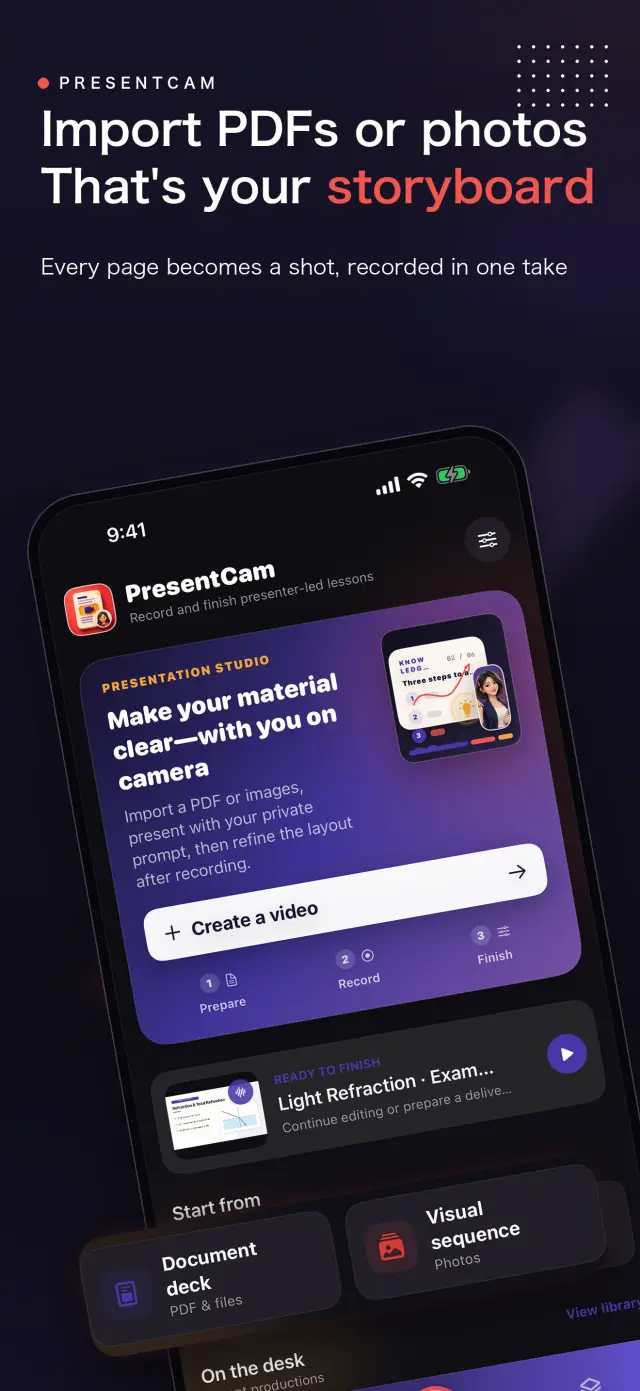
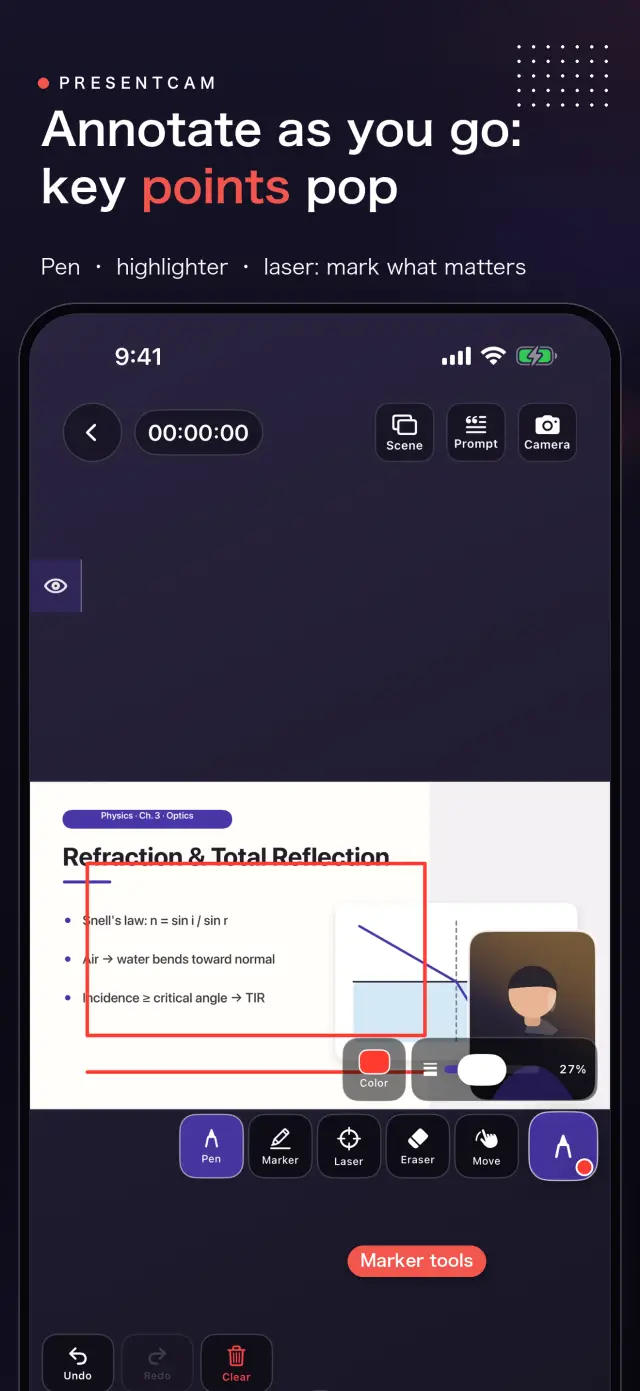
PresentCam is a document-first explainer video maker for iPhone and iPad. Import a PDF or ordered images, annotate the material live with a pen, highlighter, or laser pointer, explain on camera with microphone audio and a built-in teleprompter, then export the pages, annotations, presenter video, and audio as one MP4. Free includes watermark-free export up to 1080p/30 fps; Pro adds 2K/4K, 50/60 fps, HDR, and higher-bitrate options. Local-first: no account, no ads, no analytics, and no tracking.
PresentCam
- status
- statuscomingsoon
- App Store
- iPhone / iPad
- techstack
- Live Annotation · Presenter Video · On-device Privacy
atglanceガイド
Fig. 01Import the material, mark the point, explain it face to face, and leave with a finished video.
featuresガイド
No. 01materialstaysvisiblewhileyouexplainitガイド
Annotate live with pen, highlighter, and laser
Explain on camera with microphone audio
workflowガイド
No. 02importannotateexplainexportガイド
-
01
importmaterialガイド
choosepdforderedsetimagesapplessystemガイド
-
02
markpointガイド
drawhighlightpointlaserdirectlymaterialwhilerecordingガイド
-
03
explainfaceガイド
recordmovablepresenterwindowmicrophoneaudiowhileteleprompterガイド
-
04
exportresultガイド
previewcompositionexportmaterialannotationspresenteraudioasガイド
trustprivacyガイド
No. 03sourcematerialrecordingsstaydeviceガイド
privacyfirstガイド
localfirstnoaccountadstrackingdataneverガイド
noaccountneededガイド
nosignuplogininstallitjustworksガイド
worksofflineガイド
everythingcorerunsofflinenonetworkrequiredガイド
presentcamhasnoaccountadvertisinganalyticstrackingcloudガイド
製品方針
No. 04wherethisappheadedmakersownhandガイド
importpdfimagesガイド
choosepdffilesorderedimagessystemphotopickerガイド
annotateliveガイド
usepenhighlighterlaserpointeridentifyexactpointガイド
explaincameraガイド
keepmaterialvisiblewhilemovablepresenterwindowmicrophoneガイド
exportonevideoガイド
previewlayoutthencombinematerialannotationspresentervideoガイド
概要 PresentCam
No. 5longerstorywhatitwhochoicesbehindガイド
最終更新:2026年9月12日
PresentCamは、資料を起点に解説動画を作るためのiPhone/iPadアプリです。PDFや順序付きの画像を読み込み、資料にリアルタイムで注釈を加え、カメラに向かってマイクの音声で解説し、資料・注釈・プレゼンター動画・音声を1本の完成したMP4として書き出せます。
できること
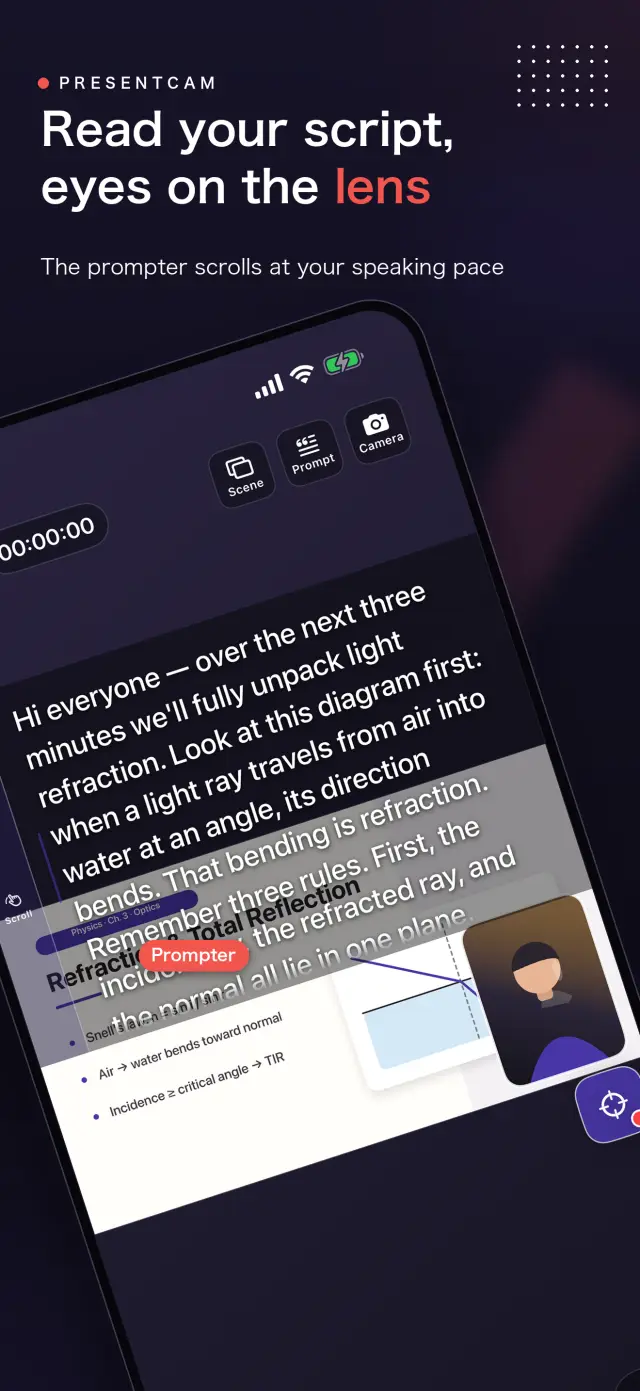
「ファイル」からPDFを選ぶか、Appleのシステム写真ピッカーで順序付きの画像を選択します。資料を表示したまま、ペン・ハイライター・レーザーポインタで今説明している箇所を正確にマークできます。移動可能なフロント/バックカメラのプレゼンターウィンドウとマイクが解説を記録し、内蔵テレプロンプターが台本を目の近くに置きます。レイアウトをプレビューしてから、完成した動画を1本書き出します。
基本のワークフロー
- 読み込み — 「ファイル」からPDFを選ぶか、システム写真ピッカーから順序付きの画像セットを選択します。
- リアルタイム注釈 — 録画中、資料の上に直接描画・強調・レーザーでの指示ができます。
- カメラで解説 — 資料を表示したまま、プレゼンターウィンドウとマイクが解説を記録します。
- 書き出し — 合成をプレビューし、資料・注釈・プレゼンター・音声を1本のMP4にまとめます。
補助機能には、内蔵テレプロンプター、フロント/バックカメラの切り替え、移動・リサイズ可能なプレゼンターレイアウトに加え、プレビュー時でも調整できる、角丸四角形・円・矩形のプレゼンターフレーム(それぞれ正方形または縦向きのウィンドウ比率を選択可能)があります。内蔵エディタでは、最終書き出しの前にクリップのトリミングや分割、タイトル・画像・補助動画の追加ができます。
他との違い
ほとんどの録画アプリはカメラレイアウトを録画時に確定してしまうため、変更したくなると撮り直しになります。PresentCamはカメラのみのトラックを録画し、ポートレートの形状とレイアウトを表示時に適用し(瞬時の切り替え)、書き出し時に最終ピクセルを一度だけ焼き込みます。動画は録画前にではなく、録画後に成形するのです。
プライバシーへの配慮
PresentCamはローカルファーストです。アカウント不要、広告なし、アナリティクスやトラッキングSDKなし、個人情報の収集もありません。ユーザーが選択したPDFや画像、プロジェクト、録画内容、注釈、設定、台本はすべてデバイス上に残ります。メディアをクラウドサービスへアップロードすることはなく、書き出しは写真ライブラリなど、あなたが選んだ宛先にのみ行われます。
PresentCam Pro
無料プランでは、ウォーターマークなし・録画時間の上限なしで、最大1080p / 30 fpsの録画・成形・書き出しが可能です。PresentCam Proのアンロック内容:
- 2K / 4K書き出し — より高い解像度で、鮮明な教材を実現します。
- 50/60 fps・HDR・高ビットレート — より滑らかな動きと、より高精細な納品オプション。
月額または年間サブスクリプション、または買い切りのLifetime購入をお選びください。
ドキュメントとサポート
No. 6plainlanguagedocumentsnofineprintyouwouldガイド
よくある質問
Yes. PresentCam records a camera-only track and applies the presenter shape and layout at view time, so you can switch the camera bubble's shape, window ratio, and position instantly in the preview without re-recording. The final pixels are baked once, at export.
Pro adds 2K/4K export, 50/60 fps, HDR, and higher-bitrate delivery options. Recording length is unlimited and exports carry no watermark at every tier. Choose a Monthly or Yearly auto-renewable subscription, or a one-time Lifetime purchase.
No. PresentCam does not require an account and does not include advertising SDKs, third-party analytics trackers, or cross-app tracking. All recording, compositing, and export happens on-device.
PresentCam supports iPhone and iPad running iOS 17 or later.
nextlessoncouldshiptonightガイド
PresentCam
developmentfollowprogressproductpageガイド