Apple Platform App · iPhone · iPad
PDFs and images, explained on camera.
PresentCam
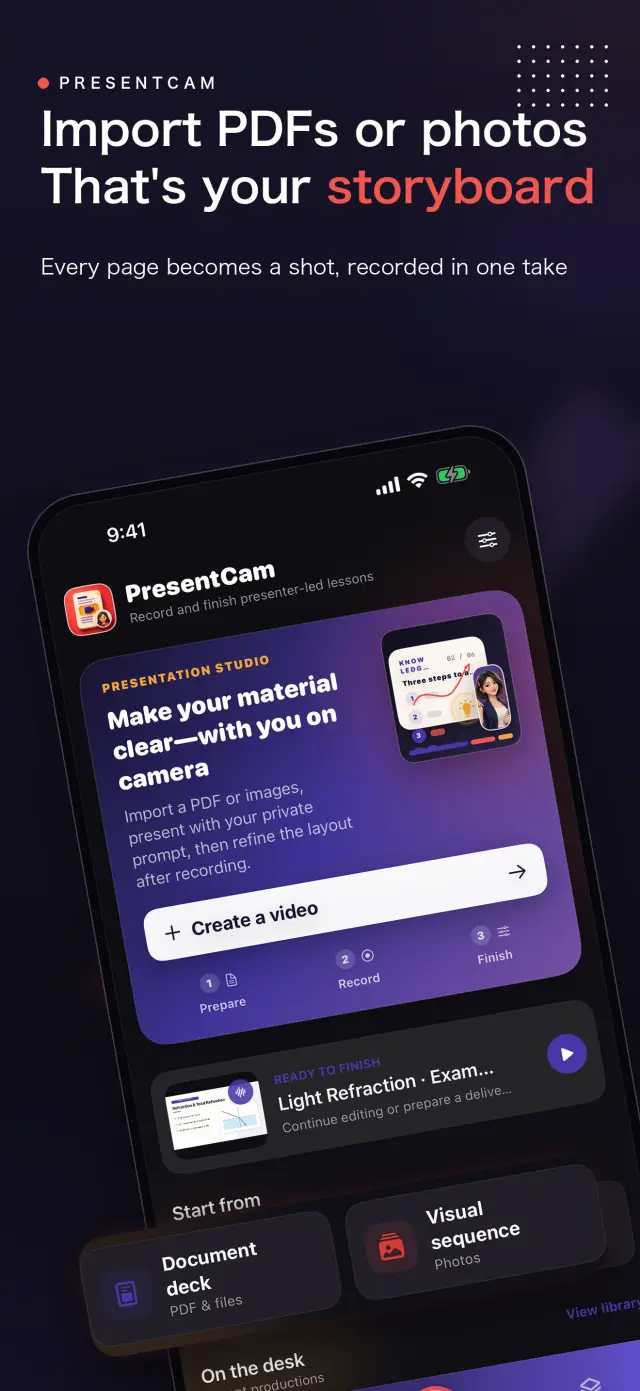
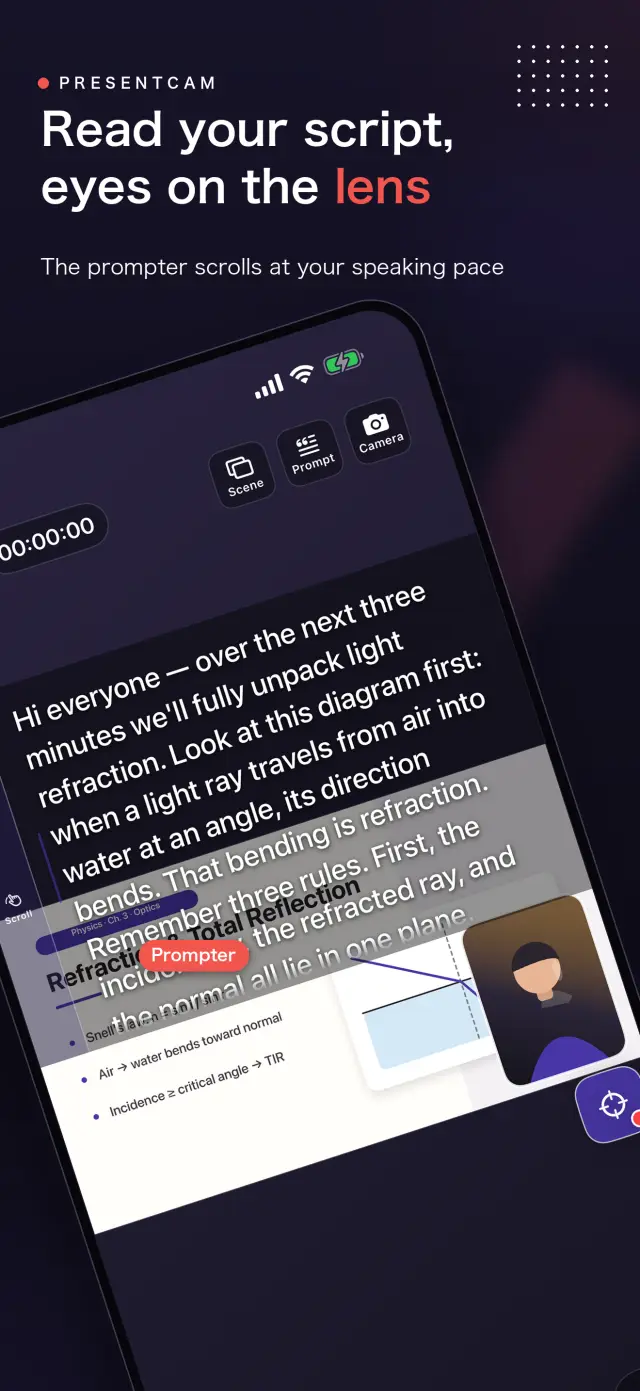
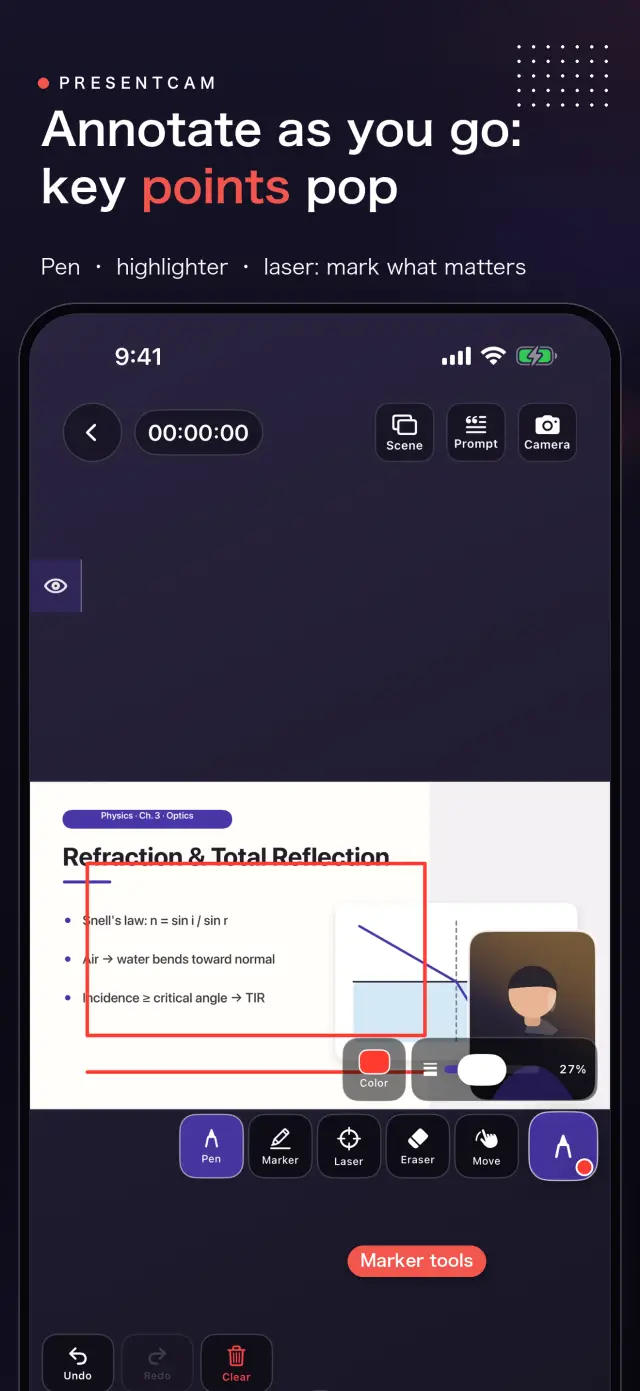
PresentCam is a document-first explainer video maker for iPhone and iPad. Import a PDF or ordered images, annotate the material live with a pen, highlighter, or laser pointer, explain on camera with microphone audio and a built-in teleprompter, then export the pages, annotations, presenter video, and audio as one MP4. Free includes watermark-free export up to 1080p/30 fps; Pro adds 2K/4K, 50/60 fps, HDR, and higher-bitrate options. Local-first: no account, no ads, no analytics, and no tracking.
PresentCam
- status
- status coming soon
- App Store
- iPhone / iPad
- tech stack
- Live Annotation · Presenter Video · On-device Privacy
إرشادات حول at glance
Fig. 01Import the material, mark the point, explain it face to face, and leave with a finished video.
إرشادات حول features
No. 01إرشادات حول material stays visible while you explain it
Annotate live with pen, highlighter, and laser
Explain on camera with microphone audio
إرشادات حول workflow
No. 02إرشادات حول import annotate explain export
-
01
إرشادات حول import material
إرشادات حول choose pdf ordered set images apple s system
-
02
إرشادات حول mark point
إرشادات حول draw highlight point laser directly material while recording
-
03
إرشادات حول explain face
إرشادات حول record movable presenter window microphone audio while teleprompter
-
04
إرشادات حول export result
إرشادات حول preview composition export material annotations presenter audio as
إرشادات حول trust privacy
No. 03إرشادات حول source material recordings stay device
إرشادات حول privacy first
إرشادات حول local first no account ads tracking data never
إرشادات حول no account needed
إرشادات حول no sign up login install it just works
إرشادات حول works offline
إرشادات حول everything core runs offline no network required
إرشادات حول presentcam has no account advertising analytics tracking cloud
product direction
No. 04إرشادات حول where this app headed maker s own hand
إرشادات حول import pdf images
إرشادات حول choose pdf files ordered images system photo picker
إرشادات حول annotate live
إرشادات حول use pen highlighter laser pointer identify exact point
إرشادات حول explain camera
إرشادات حول keep material visible while movable presenter window microphone
إرشادات حول export one video
إرشادات حول preview layout then combine material annotations presenter video
حول PresentCam
No. 5إرشادات حول longer story what it who choices behind
آخر تحديث: 2026-09-12
PresentCam هو تطبيق لإنشاء فيديوهات الشرح يبدأ من المستندات، مصمّم لأجهزة iPhone وiPad. استورد ملف PDF أو صورًا مرتّبة، وعلّق على المادة مباشرة أثناء الشرح، واشرحها أمام الكاميرا بصوت الميكروفون، ثم صدّر المادة والتعليقات التوضيحية وفيديو المقدّم والصوت في ملف MP4 واحد جاهز.
ماذا يفعل التطبيق
اختر ملف PDF من تطبيق «الملفات» أو صورًا مرتّبة من منتقي الصور الخاص بنظام Apple. وبينما تبقى المادة ظاهرة، استخدم قلمًا أو أداة تظليل أو مؤشرًا ليزريًا لتحديد النقطة التي تشرحها بالضبط. تتولى نافذة المقدّم القابلة للتحريك (بالكاميرا الأمامية أو الخلفية) والميكروفون تسجيل شرحك، بينما يُبقي منشئ النص المدمج نصك قريبًا من عينيك. عايِن التخطيط، ثم صدّر فيديو نهائيًا واحدًا.
سير العمل الأساسي
- الاستيراد — اختر ملف PDF من تطبيق «الملفات» أو مجموعة صور مرتّبة من منتقي الصور الخاص بالنظام.
- التعليق التوضيحي المباشر — ارسم أو ظلّل أو أشر بالمؤشر الليزري على المادة نفسها مباشرة أثناء التسجيل.
- الشرح أمام الكاميرا — أبقِ المصدر ظاهرًا بينما تسجّل نافذة المقدّم والميكروفون شرحك.
- التصدير — عايِن التكوين، ثم اجمع المصدر والتعليقات التوضيحية والمقدّم والصوت في ملف MP4 واحد.
تشتمل عناصر التحكم المساعدة على منشئ نص مدمج، وتبديل بين الكاميرتين الأمامية والخلفية، وتخطيطات مقدّم قابلة للتحريك وتغيير الحجم، وإطارات مقدّم بشكل مستطيل دائري الزوايا أو دائرة أو مستطيل — يمكن اختيار كل منها بنسبة نافذة مربعة أو رأسية — وتبقى قابلة للتعديل عند المعاينة. ويتيح المحرّر المدمج تقليم المقاطع أو تقسيمها وإضافة العناوين أو الصور أو الفيديوهات المساندة قبل التصدير النهائي.
لماذا هو مختلف
معظم تطبيقات التسجيل تدمج تخطيط الكاميرا في التسجيل نفسه، لذا فإن تغيير رأيك يعني إعادة التصوير. يسجّل PresentCam مسار كاميرا فقط ويطبّق الشكل الرأسي والتخطيط وقت العرض (تبديل فوري)، ثم يجمع البكسلات النهائية مرة واحدة عند التصدير. أنت تشكّل الفيديو بعد التسجيل، لا قبله.
مبني على الخصوصية
يعتمد PresentCam مبدأ المحلية أولًا: بلا حساب، وبلا إعلانات، وبلا حزم SDK للتحليلات أو التتبع، ودون جمع أي معلومات شخصية. ملفات PDF والصور التي تختارها، والمشاريع، والتسجيلات، والتعليقات التوضيحية، والإعدادات، والنصوص تبقى كلها على جهازك. لا يرفع PresentCam الوسائط إلى أي خدمة سحابية؛ فالتصدير لا يتم إلا إلى الوجهات التي تختارها بنفسك، مثل مكتبة الصور الخاصة بك.
PresentCam Pro
تتيح لك الخطة المجانية التسجيل والتشكيل والتصدير بدقة تصل إلى 1080p / 30 fps — دون علامة مائية ودون حد لمدة التسجيل. يفتح PresentCam Pro:
- تصدير 2K / 4K — مخرجات بدقة أعلى لمواد تعليمية أكثر وضوحًا.
- 50/60 fps وHDR ومعدل بت أعلى — حركة أكثر سلاسة وخيارات تسليم بجودة أعلى.
اختر اشتراكًا شهريًا أو سنويًا، أو شراءً لمرة واحدة مدى الحياة.
docs support
No. 6إرشادات حول plain language documents no fine print you would
faq title
Yes. PresentCam records a camera-only track and applies the presenter shape and layout at view time, so you can switch the camera bubble's shape, window ratio, and position instantly in the preview without re-recording. The final pixels are baked once, at export.
Pro adds 2K/4K export, 50/60 fps, HDR, and higher-bitrate delivery options. Recording length is unlimited and exports carry no watermark at every tier. Choose a Monthly or Yearly auto-renewable subscription, or a one-time Lifetime purchase.
No. PresentCam does not require an account and does not include advertising SDKs, third-party analytics trackers, or cross-app tracking. All recording, compositing, and export happens on-device.
PresentCam supports iPhone and iPad running iOS 17 or later.
إرشادات حول next lesson could ship tonight
PresentCam
إرشادات حول development follow progress product page