
01
Apple Platform App · iPhone · iPad
The answer, and every step to it.
FractionSolver
FractionSolver is a focused fraction calculator that shows the full step-by-step working behind every answer. Scan a printed or handwritten fraction equation with the camera, or enter it with the structured keypad — operations, simplify, compare, decimal, and percentage. Local, offline, ad-free.
Privatliv først
Ingen konto nødvendig
Virker offline
FractionSolver
- status
- status live
- App Store
- iPhone / iPad
- tech stack
- Fractions · Education · On-device Privacy
Med et blik
Fig. 01A fraction is not wrong — it is unfinished. See the working, and the mystery becomes method.
I appen
Fig. 02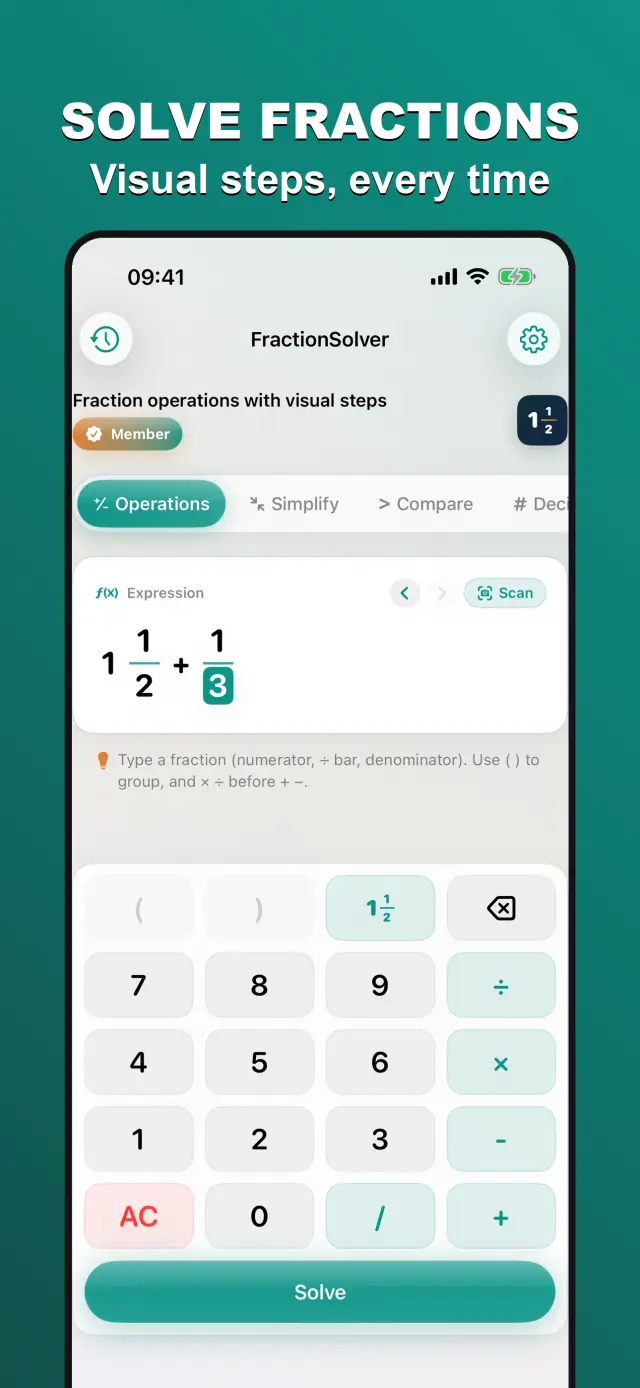
Funktioner
No. 01Fraction arithmetic, explained plainly.
02
Structured fraction input
03
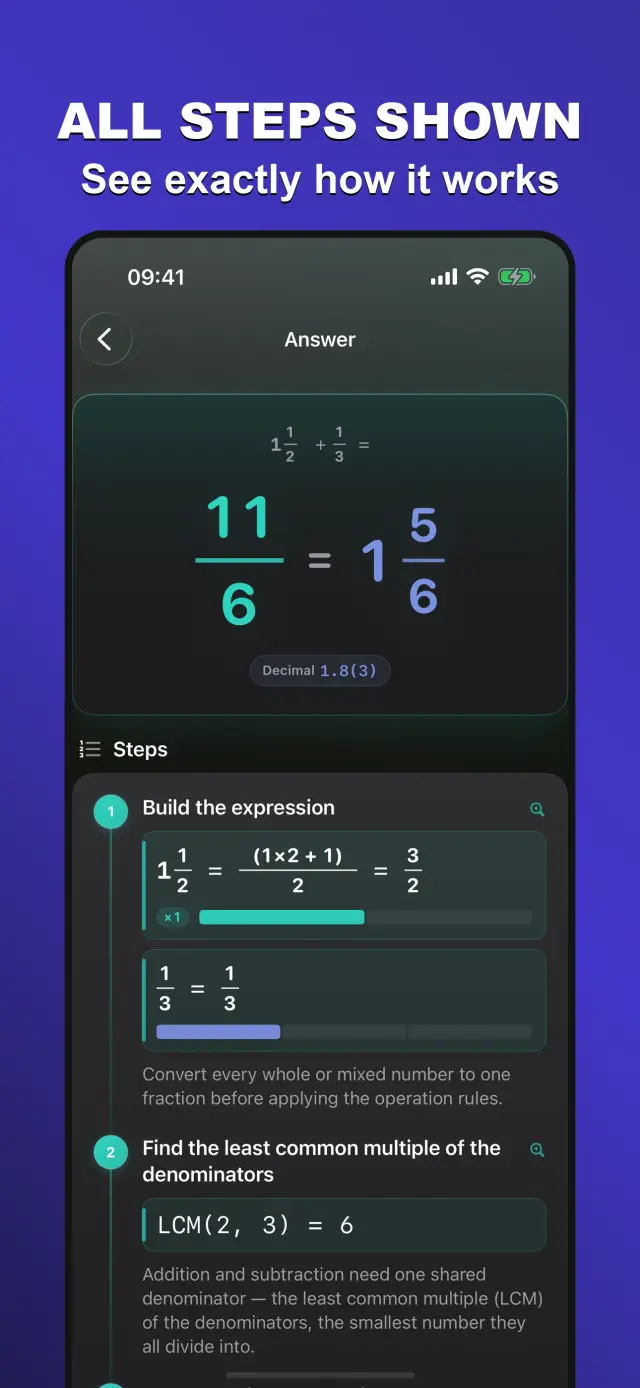
Step-by-step working
Specifications
Tab. 01At a glance
- Platforms
- iPhone · iPad
- Input
- Camera scan or structured fraction keypad
- Steps
- Full worked solutions: simplify, compare, convert
- Offline
- Works offline, ad-free
Arbejdsproces
No. 02From one problem to one lesson learned.
-
01
Enter the expression
Type the problem on the fraction keyboard — mixed numbers and parentheses in one tap, no keyboard switching.
-
02
Read the steps
The solver works it out line by line, each step with its rule; dwell on whichever step trips you up.
-
03
Check the result
Simplest form, mixed number and decimal side by side — easy to verify, safe to copy.
Tillid og privatliv
No. 03A learning tool, clean first.
Privatliv først
Local-first: no account, no ads, no tracking — data never leaves the device.
Ingen konto nødvendig
No sign-up, no login. Install it and it just works.
Virker offline
Everything core runs offline; no network required.
Saves parents and teachers the mental arithmetic mid-explanation. On the App Store, universal for iPhone and iPad.
product direction
No. 04Where this app is headed, in the maker’s own hand.
Show Every Step
Operations, simplify, compare, decimal, and percentage with full working.
Scan or Type
Scan printed or handwritten equations, or use the structured math keypad.
Built for Learning
Bilingual (English and 简体中文), works offline in light and dark mode.
Om FractionSolver
No. 5The longer story — what it is, who it is for, and the choices behind it.
Sidst opdateret: 2026-07-01
FractionSolver er en fokuseret brøkregner, der viser den fulde, trinvise udregning bag hvert svar — ikke kun resultatet.
Hvad den kan
Ret kameraet mod en trykt eller håndskrevet brøkligning for at scanne og løse den med det samme, eller indtast brøker, blandede tal eller hele tal med et struktureret matematisk tastatur. FractionSolver omdanner blandede tal, finder den mindste fællesnævner, samler led og forkorter resultatet og viser derefter hvert trin i korrekt matematisk notation med søjle- og tallinjevisualiseringer.
Fem værktøjer
- Operationer — addér, subtrahér, multiplicér og dividér brøker og blandede tal.
- Forkort — reducér enhver brøk ved hjælp af den største fælles divisor.
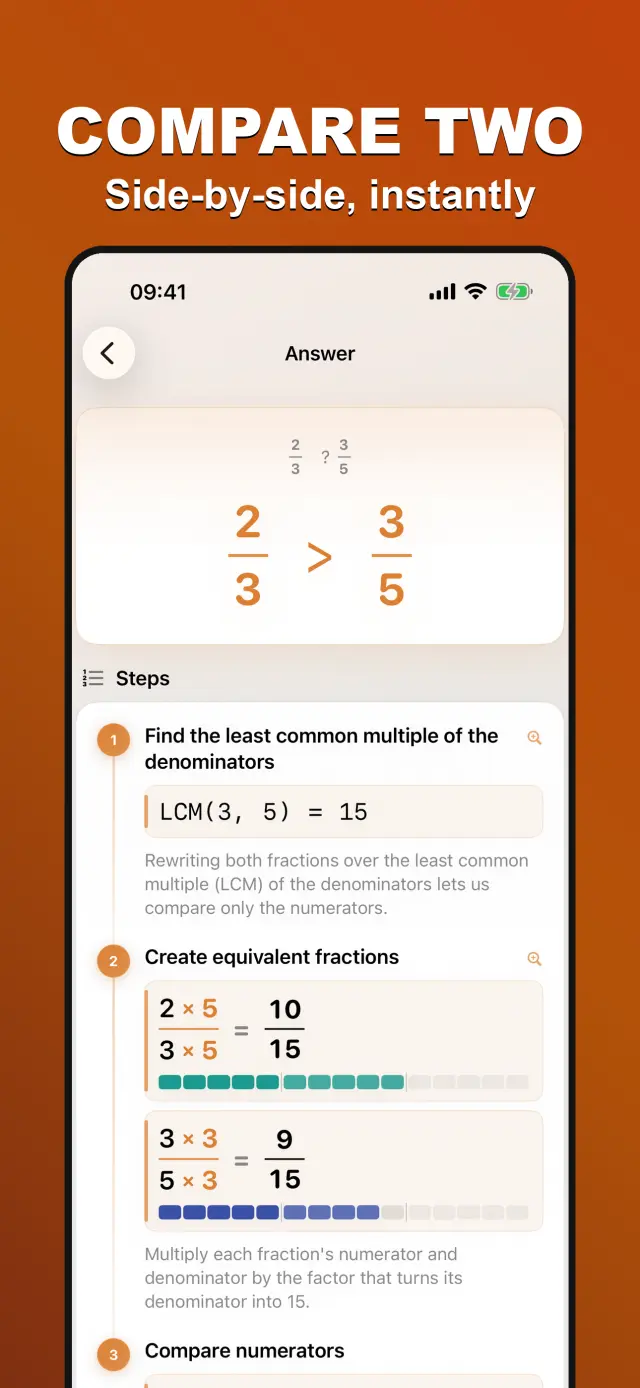
- Sammenlign — ordn to brøker med en fællesnævner.
- Decimal — omdan en brøk til dens nøjagtige decimal (gentagne cifre vises i parentes).
- Procent — omdan en brøk til en procentdel med den viste udregning.
Bygget til læring
FractionSolver er lokal, deterministisk og offline — ingen AI, ingen reklamer, ingen konti. Den er tosproget (engelsk og 简体中文) og virker i lys og mørk tilstand.
Premium
Den gratis app inkluderer alle regnerne. Premium låser op for scanning af ligninger med kameraet, din løsningshistorik og eksport af den trinvise løsning som billede — vælg et Monthly- eller Yearly-abonnement eller et engangskøb af Lifetime.
docs support
No. 6Plain-language documents. No fine print you would be surprised by.
faq title
No — the answer is the least of it. FractionSolver shows the full step-by-step working behind every result: common denominators, simplification, each transformation written out. It is a tutor, not an answer key.
Yes. Point the camera at a printed or handwritten fraction equation and it converts the image into an editable problem. A structured keypad is there too, for when typing is faster than snapping.
The four operations with fractions and mixed numbers, plus simplifying, comparing, and converting to decimals and percentages — the standard toolkit from elementary fractions homework.
Neither. FractionSolver works fully offline — camera recognition included — and shows no ads. A child can use it on a plane without surprises on the bill or the screen.
Students learning fractions, parents checking homework, and teachers demonstrating method on a screen. Because every step is shown, it is as useful for "why is this wrong?" as for "what is the answer?".