Master PromptKit iOS: From Panic’s SSH Client to AI-Powered Vibe Coding
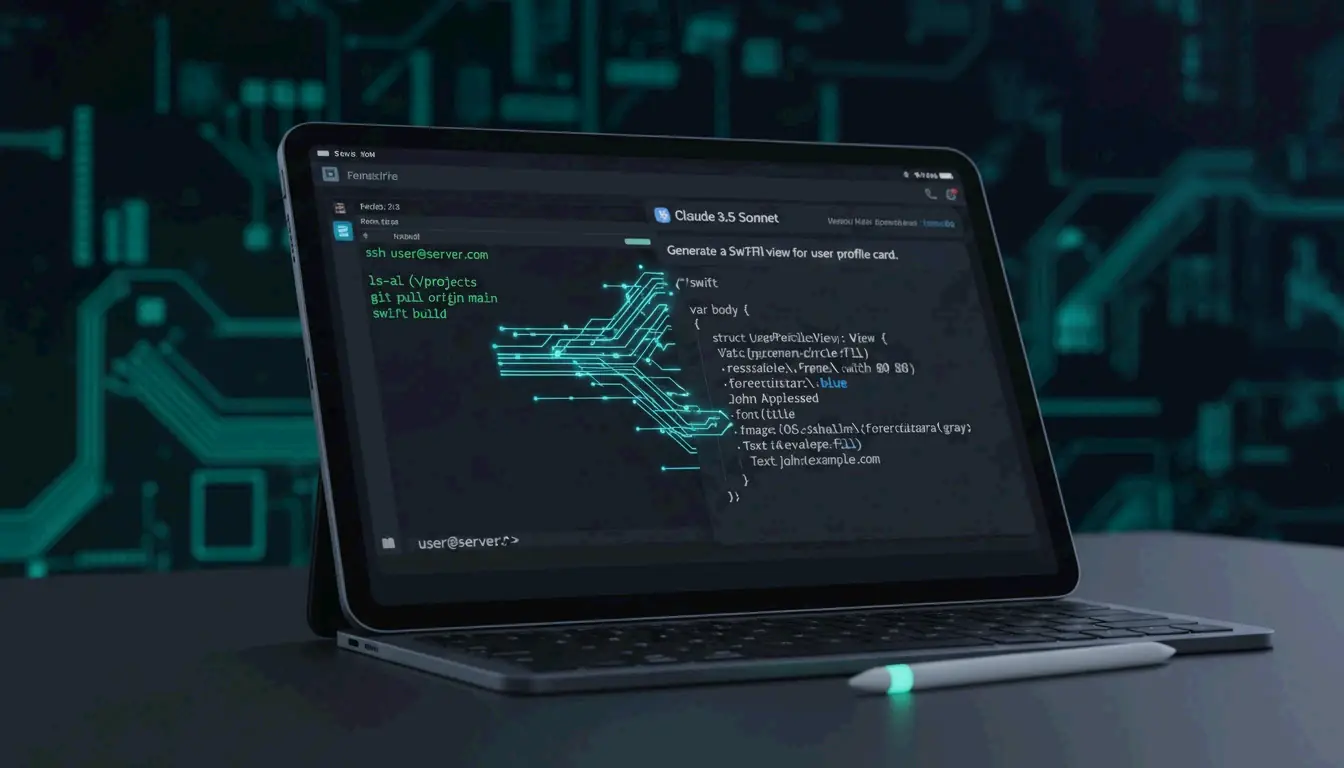
PromptKit iOS represents a dual frontier in mobile development: professional remote server management through Panic’s Prompt 3 and the emerging “vibe coding” workflow powered by AI. Whether the task is managing backend infrastructure through SSH terminals or generating Swift code via natural language with Claude 3.5 Sonnet, iOS has become a primary platform for high-speed application deployment in 2026.
What is Prompt by Panic? The Gold Standard for iOS SSH Terminals
Prompt by Panic (version 3) is widely regarded as the premium terminal emulator for iPhone and iPad. It is designed for developers who need desktop-grade SSH capabilities on mobile devices. For engineers who operate in a mobile-first workflow, it provides a bridge that enables server infrastructure management with the same responsiveness expected from a macOS terminal.
According to AppsTorrent, the text engine in Prompt 3 is 10x faster than previous versions. It uses GPU acceleration to handle large log files and complex terminal output without lag, and integrates with the iOS Secure Enclave for FaceID and TouchID authentication while keeping private keys hardware-encrypted.
Key features that define the Prompt 3 experience:
- Panic Sync: Keeps servers, passwords, and private keys in sync across iOS and macOS.
- Clips: A library for saving frequent commands (such as
sudo systemctl restart nginx) that can be triggered with one tap. - Mosh and Eternal Terminal: Support for roaming connections that stay alive when switching from Wi-Fi to 5G or waking a device from sleep.
Prompt 3 vs. Termius: Which SSH Client Wins?
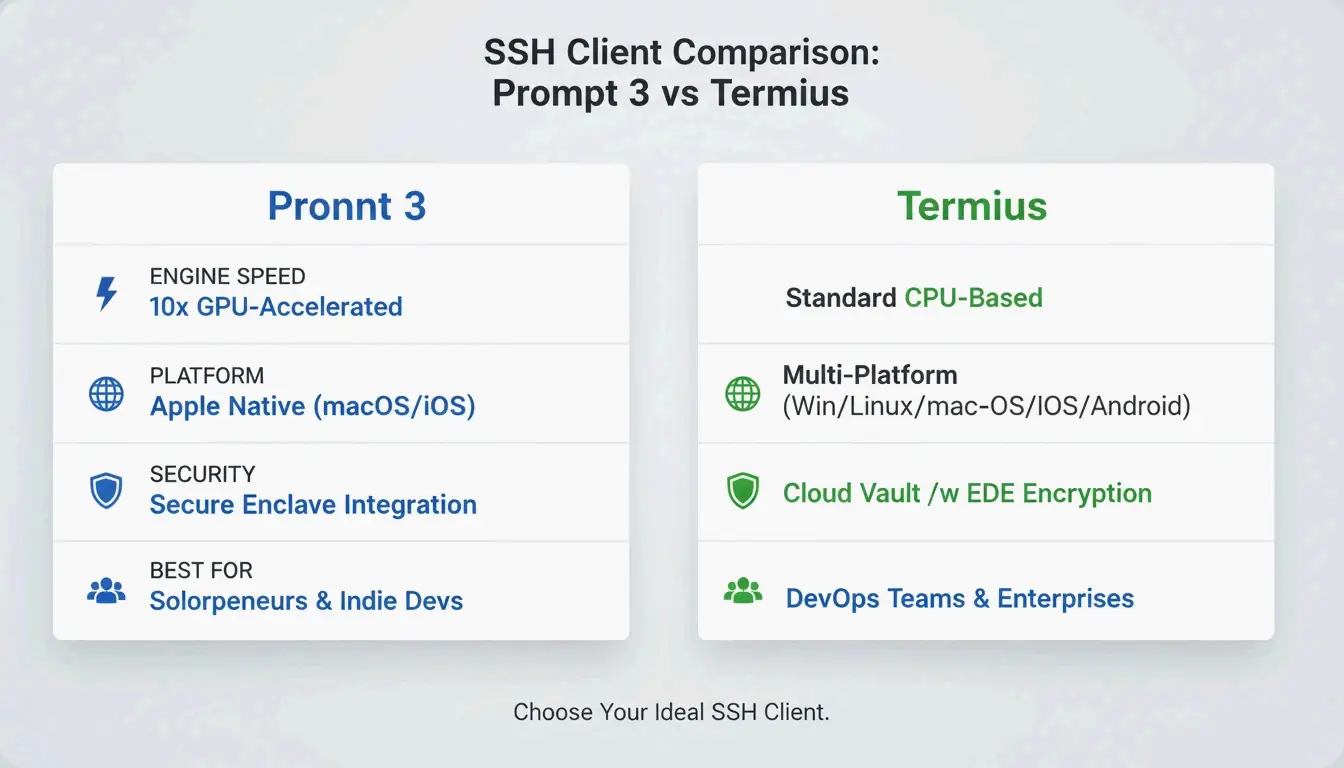
| Feature | Prompt 3 | Termius |
|---|---|---|
| Platform Focus | Apple ecosystem (iOS + macOS) | Cross-platform (iOS, Android, Windows, Linux) |
| Text Engine | GPU-accelerated, 10x faster than prior versions | Standard rendering |
| Security | Secure Enclave integration, FaceID/TouchID | Cloud Vault for team credential sharing |
| SFTP Support | Basic | Comprehensive |
| Best For | Individual developers in Apple ecosystem | DevOps teams across multiple platforms |
Prompt 3 excels within the Apple ecosystem because of its native feel and GPU speed. However, Termius is often preferred by DevOps teams working across Windows and Linux. Termius offers broader SFTP support and a “Cloud Vault” for team-based credential sharing. For individual developers who want the fastest, most Mac-like terminal experience on an iPad, Prompt’s engine and Secure Enclave integration provide a clear edge in both security and responsiveness.
What is Vibe Coding? Building iOS Apps with AI Prompts
“Vibe coding” represents a shift in software construction. Instead of writing Swift code line by line, creators use natural language instructions — prompts — to direct AI agents. The developer provides the “vibe” (intent, design, and logic), and models like Claude 3.5 Sonnet handle the implementation.
In the current iOS landscape, Claude 3.5 Sonnet and the “Claude Code” interface are the primary tools driving this approach. Developers often begin with a “Genesis Prompt” — a detailed, comprehensive instruction — to scaffold an entire SwiftUI project in minutes. Code becomes a commodity rather than a manually crafted artifact.
The speed is significant. As one Reddit case study demonstrates, a developer built a functional, store-ready iOS app in 5 hours using a single well-structured prompt. However, as Dragos Roua observes, this ease of creation changes market dynamics: the real value now lies in rapid iteration and unique product vision rather than the ability to write syntax.
The Dual-Prompt Workflow: Managing Servers and Code Simultaneously
Modern iOS development increasingly relies on a “Dual-Prompt” strategy: AI prompts for the frontend and Panic’s Prompt 3 for the backend. This workflow allows developers to stay within the iOS ecosystem while building complex, data-driven applications.
- AI Prompting: Use Claude 3.5 Sonnet to generate SwiftUI views, state management, and API logic.
- Terminal Management: Use Prompt 3 to SSH into a VPS (such as DigitalOcean or AWS), set up a Node.js or Python backend, and manage databases.
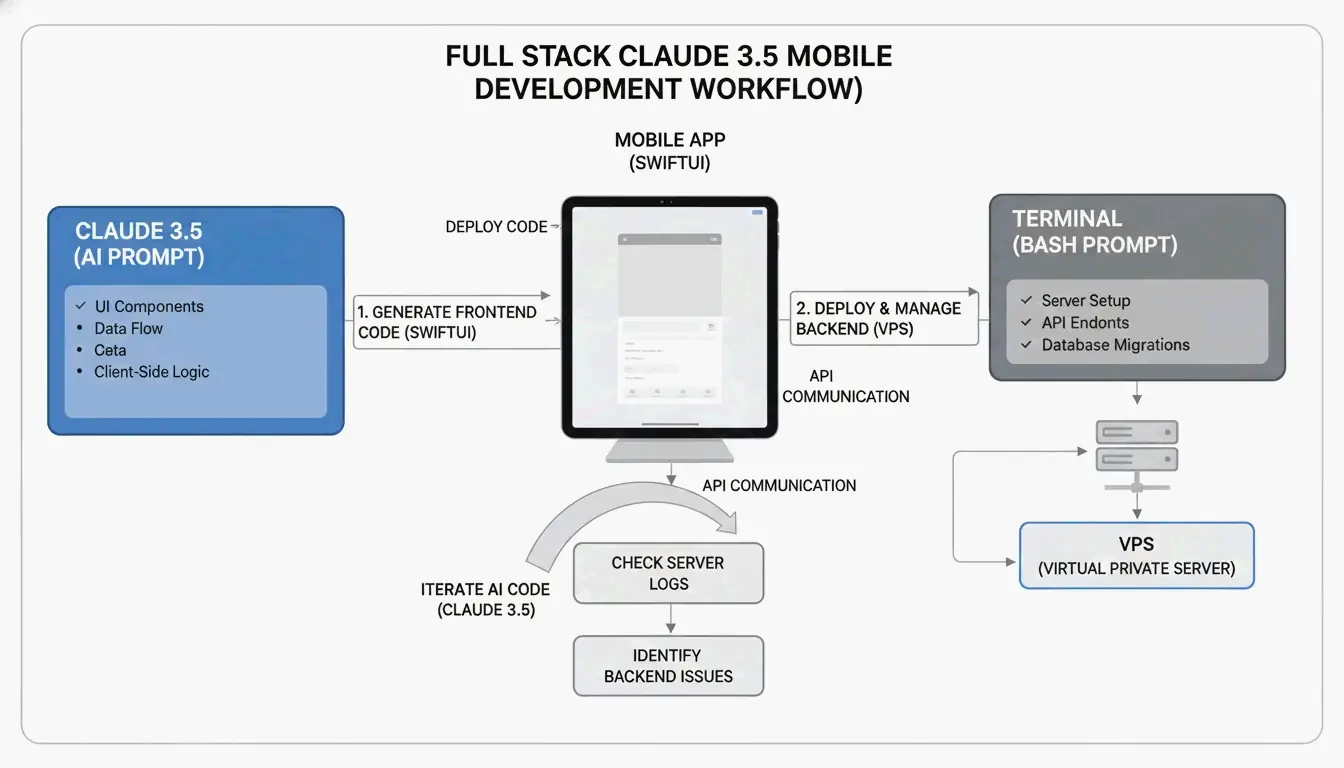
By bridging AI-generated code and manual server management, it becomes possible to deploy full-stack solutions directly from an iPad. A developer might prompt an AI to write a Swift function that fetches data from a REST API, then switch to Prompt 3 to check server logs in real time and confirm the endpoint is responding correctly.
The Ultimate Genesis Mega Prompt for iOS and StoreKit 2
Effective vibe coding requires a structured template to ensure the AI does not overlook technical requirements. A “Genesis Mega Prompt” should cover:
| Component | What to Specify | Example |
|---|---|---|
| Project Overview | App name, core features, target iOS version | “Fitness tracker app, iOS 18+” |
| Technical Stack | Framework, architecture, concurrency model | SwiftUI, MVVM, Swift Concurrency |
| StoreKit 2 Integration | Modern purchase APIs | Product.products(for:), product.purchase() |
| Design System | Colors, typography, spacing | Hex codes, 44pt touch targets |
When integrating StoreKit 2 via AI, explicitly specify “modern StoreKit 2 Swift API” to avoid legacy code generation. This ensures the AI implements reactive purchase buttons and entitlement checks that update the UI automatically when a user subscribes.
Essential Developer Tools: From Expo CLI to Blink Shell
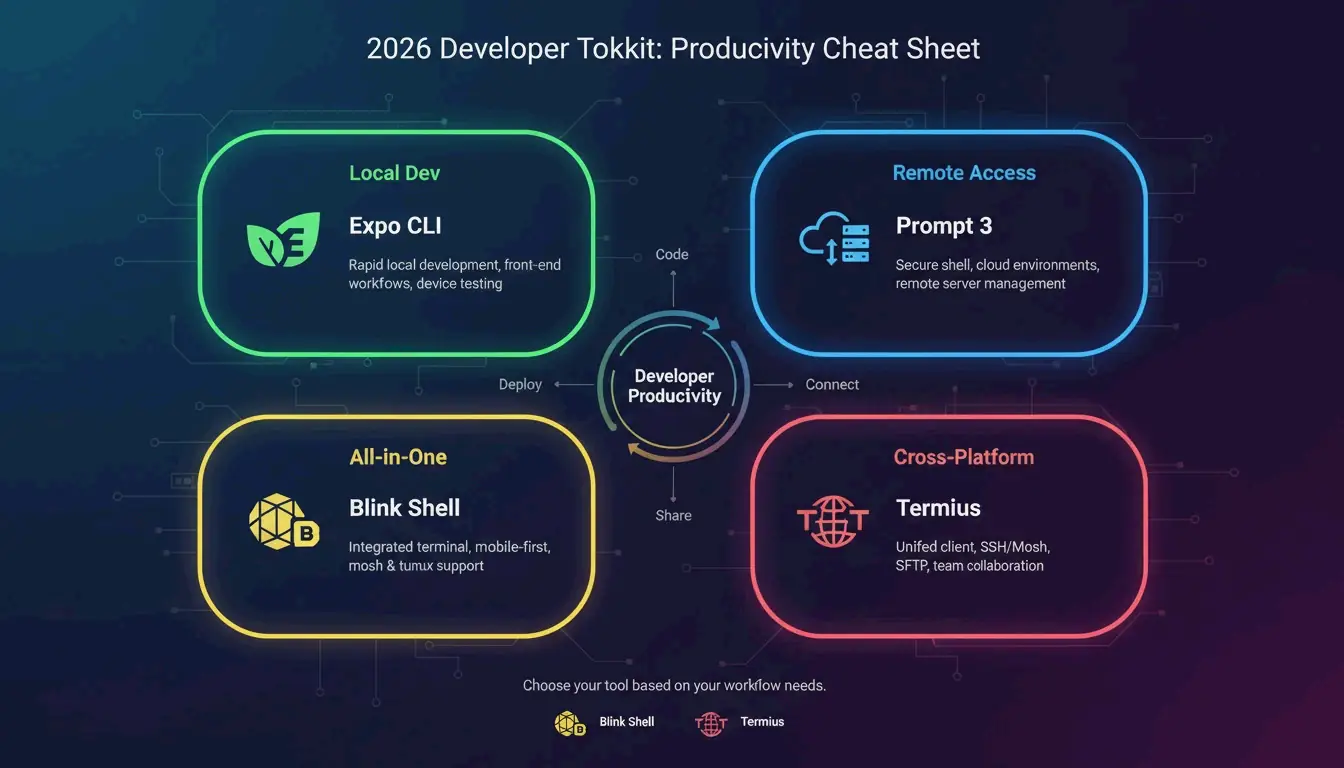
Beyond Panic’s tools, the 2026 iOS developer toolkit includes several utilities for cross-platform and local development:
| Tool | Primary Use Case | Standout Feature |
|---|---|---|
| Expo CLI | React Native development | npx expo run:ios for native compilation |
| Blink Shell | Integrated terminal + IDE | Built-in VS Code (Code Server) module |
| Termius | Cross-platform SSH | Sync between iOS, Android, Windows |
- Expo CLI is best for rapid JavaScript and TypeScript mobile development with native module prebuilding.
- Blink Shell is ideal for developers who want a VS Code interface alongside Mosh and SSH terminals on an iPad.
- Termius excels at syncing server lists across iOS, Android, and Windows devices.
Conclusion
The convergence of high-performance SSH management in Prompt 3 and AI-driven vibe coding with Claude 3.5 Sonnet has turned the iPhone and iPad into legitimate professional workstations. By combining a 10x faster GPU-accelerated terminal for server management with rapid AI-assisted app generation, developers can move from concept to the App Store faster than ever.
The practical next step is to set up Prompt 3 for secure remote server access and experiment with a Genesis Mega Prompt in Claude 3.5 Sonnet to begin shipping SwiftUI projects directly from an iPad.
FAQ
What is the best SSH terminal app for iPad and iPhone in 2026?
Prompt 3 by Panic is the top choice for users seeking speed and deep iOS integration, featuring a GPU-accelerated text engine that is 10x faster than competitors. Termius is a better fit for teams requiring cross-platform synchronization across Windows and Linux. Blink Shell is ideal for developers who need a built-in VS Code environment on their iPad.
How do I use a Genesis Prompt to build an iOS app with AI?
Provide an AI model like Claude 3.5 Sonnet with a high-level architectural overview that includes SwiftUI requirements, MVVM patterns, and specific framework needs such as StoreKit 2. The AI uses this specification as a “source of truth” to generate boilerplate code, UI components, and application logic, allowing you to iterate on the product vision rather than the syntax.
What is the difference between Prompt 3 and Termius for iOS developers?
Prompt 3 is built exclusively for the Apple ecosystem, prioritizing macOS and iOS depth, Secure Enclave security, and high-speed text rendering. Termius is a multi-platform tool that offers broader protocol support (SFTP, Telnet) and features designed for collaborative teams who do not exclusively use Apple hardware.
Can I really deploy a full-stack application from an iPad?
Yes. Using the Dual-Prompt workflow, you can generate SwiftUI frontend code with Claude 3.5 Sonnet and manage the backend infrastructure through Prompt 3’s SSH terminal. This allows you to write code, configure servers, manage databases, and deploy applications — all from an iPad without needing a traditional desktop development environment.
Written by
SectoJoy
Indie Hacker & DeveloperI'm an indie hacker building iOS and web applications, with a focus on creating practical SaaS products. I specialize in AI SEO, constantly exploring how intelligent technologies can drive sustainable growth and efficiency.